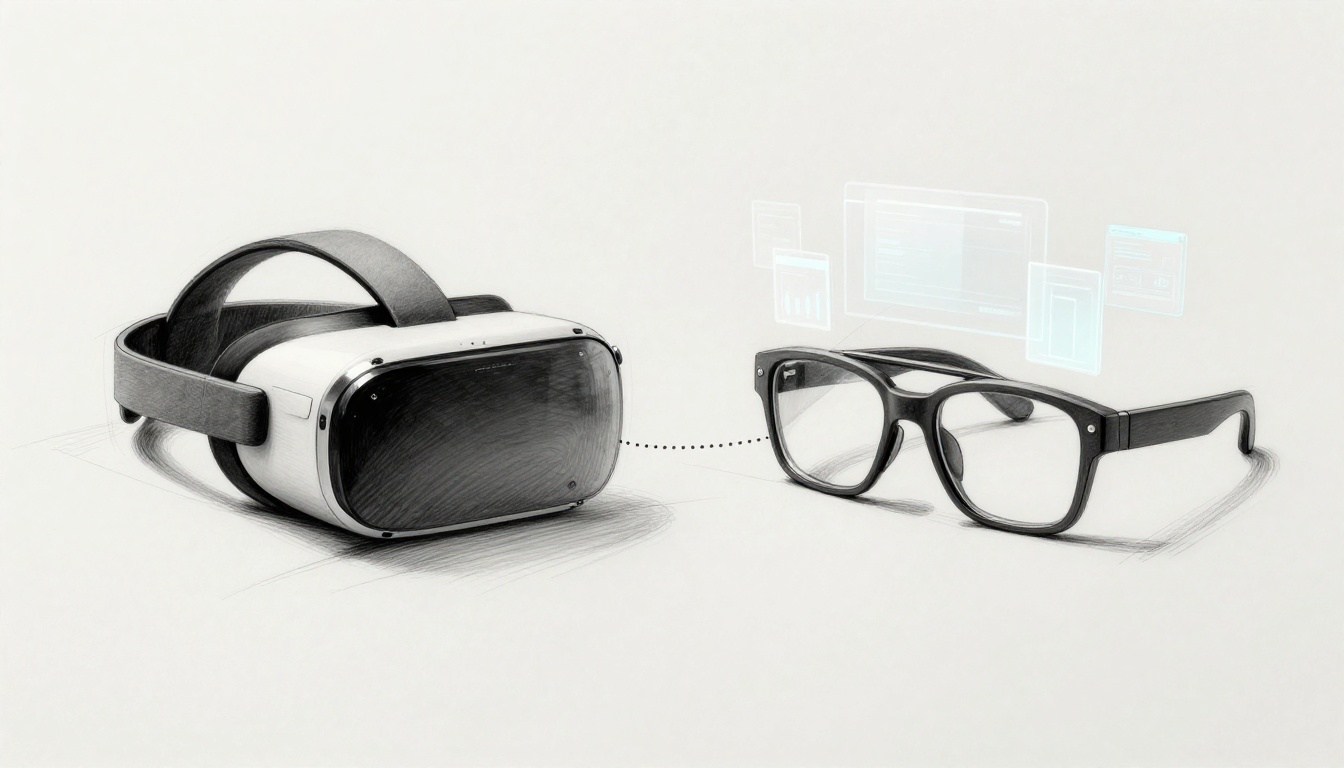
VR and AR feel like they’re everywhere in 2026, with headlines nonstop about Apple Vision Pro and the latest Meta Quest updates. Yet confusion still holds you back, because a lot of what you hear sounds true, but it’s not. In fact, VR and AR misinformation can make you assume the tech will be bulky, unsafe, or “fake,” when today’s headsets and glasses are built for more than hype.
Here’s the quick, simple version. VR (virtual reality) puts you in a full digital world using a headset, so you feel like you’ve gone somewhere else. AR (augmented reality) overlays digital info on your real view, often through glasses or a phone, so you stay aware of where you are. Because devices now push wireless use, stronger displays, and better tracking, the old expectations you may have from earlier years don’t always match reality.
This post will bust the most common misconceptions about VR and AR using recent expert insights and 2026 device trends. We’ll group the myths into basics (like “AR is only games” and “VR is always wired”), health (like “it always causes motion sickness”), uses (like “there’s no real purpose beyond fun”), and realism (like “tracking and visuals will always lag or feel fake”). Along the way, you’ll also see why lighter, wireless options and newer tracking tools change the conversation, especially for people who want comfort and everyday value, not just a demo. Keep reading, because clearing up these myths helps you choose the right device and use it with confidence.
Sorting Out VR and AR Basics from the Myths
Most people mix up VR and AR because both can look “sci-fi” and both often use a headset. That overlap makes the labels feel interchangeable. Still, the core idea is simple once you picture it.
A good way to remember it: VR is a locked door, and AR is a transparent window. VR replaces what you see. AR adds to what you already see.

In 2026, the confusion keeps popping up because products blur the edges. Many headsets support “passthrough,” so you can see your room while wearing them. That can make VR feel like AR. However, the difference still matters for what you buy, how you use it, and what kind of experience you should expect.
As a baseline, here’s what the tech is actually doing:
- VR creates a full virtual scene, so your real room drops away.
- AR keeps the real world in view, then places digital items on top.
- Both can use controllers, but AR can also work with a phone camera.
You’ll make better choices once you separate immersion from overlay.
Thinking VR and AR Do the Exact Same Thing
This myth is the biggest reason people walk into the wrong purchase. It starts with a fair point. VR and AR both use headsets sometimes. After that, the story changes.
With VR, the headset blocks your real view. It replaces your surroundings with a new 3D world. You move, and the world moves with you. That’s why VR works well for flight sims and full-body training. You’re not just looking at a scene, you’re inside it.
With AR, you keep seeing your real environment. The device adds virtual content on top of what’s already there. That’s why AR fits “try before you buy” experiences and social filters. You’re still in your living room, kitchen, or store aisle.
If you want a clear real-world example from 2026, think of shopping apps that let you preview items on your table. Glasses or furniture appear in your space through a phone or AR glasses. Meanwhile, VR can take you into a simulated cockpit where your actions feel tied to the virtual world.
People also mix them up because both can deliver “wow” moments. However, wow looks different:
VR aims for immersion, so your brain stops treating your room as the main reference point.
AR aims for awareness, so your room stays the anchor.
Here’s a quick comparison you can keep in your head:
| What you notice first | VR | AR |
|---|---|---|
| Your real room | Disappears | Stays visible |
| Digital content | Full world takeover | Add-on overlay |
| Best fit in 2026 | Sims, games, training | Shopping previews, guides, social layers |
| Typical device | Headset with tracking | Phone camera or AR glasses |
If you remember VR replaces the view and AR enhances the view, the confusion fades fast. Then you can match the device to the experience you actually want.
For a simple refresher on how the two differ, see Augmented Reality vs. Virtual Reality.
Believing You Need a Massive Room for VR Fun
This myth sounds practical, yet it’s outdated. People imagine VR requires a dedicated warehouse, with a wide open floor and perfect walls. Most home setups do not look like that, and they don’t need to.
Modern standalone VR headsets, like the Meta Quest line, use inside-out tracking and “guardian” boundaries. That means the headset maps your room and helps you stay inside safe limits. You do not need walls tracked in every scenario. You also do not need an empty studio.
Many guides now point out that you can start with a small clear area. In practice, that often means something like a 2×2 meter zone for basic movement games. If you can clear that space and remove hazards, you’re already set for a lot of fun.
If you’d like a straight-up guide for measuring your setup, read How much space do you need for VR? 2026 Complete Guide. You’ll see how quickly “small” becomes workable when you choose the right play style.
Want a simple setup plan that actually works at home?
- Start seated. Fitness and puzzle VR exist, even without standing.
- Use guardian boundaries. Let the system draw its safe area.
- Move the furniture, not your life. Push the coffee table back, tuck chairs in.
- Clear trip hazards. Cords and pets cause more problems than you’d think.
Here’s a mental picture: think of VR like dancing in your kitchen. You do not need a ballroom. You just need space where you won’t hit the cabinets.
People laugh about this until it happens. One friend cleared their living room, then forgot the coffee table edge. The headset did its job, but the real table still met the real shin. Since then, they clear a square, then they play with confidence.
If you want the safety side explained, check Meta Quest Guardian System. Once you understand guardian mode, your fear drops fast.

The biggest benefit of getting over this myth is access. VR becomes something you can fit into your home routine, not something you delay until you “have the space.” Choose the right play mode, clear a small zone, and you’re good to go.
No More Worries: Health and Usability Truths
A lot of VR and AR anxiety comes from old stories. People heard “it makes you sick” or “it’s too hard to use,” then assumed that means every headset today will feel the same.
The good news in 2026 is simple: health issues are often avoidable, and controls are far more natural than they used to be. You still need to use the tech the right way, but you don’t have to dread it.
VR Always Causes Nausea or Sickness
Sometimes VR does make people feel off, and the reason is real. Your brain gets mixed signals. Your eyes see motion in the headset, but your inner ear does not match it the way it would in real life. That sensory mismatch can trigger nausea, dizziness, and that “whoa, slow down” feeling.
However, that doesn’t mean VR always causes sickness. Modern headsets tend to offer higher refresh rates, better tracking, and smoother motion, which reduces the mismatch. In addition, many apps now use comfort modes like teleport movement, snap turning, and steadier locomotion. If you still feel queasy, it’s usually a setup or content issue, not a “you can’t handle VR” issue.
Recent guidance also points out that discomfort still affects a noticeable chunk of users, often within the first 15 to 30 minutes. For practical strategies that focus on what works, see what reduces VR motion sickness.
Here’s how people handle it in real life:
- Build tolerance gradually. Start with 15 to 20 minute sessions, then take breaks before you push through.
- Keep the room comfortable. Ventilation helps, especially if you’re warm from wearing the headset.
- Hydrate and pause early. If you feel “slight off,” stop. Don’t wait for full nausea.
One user described it like “training a car ride.” The first time made them feel weird, but shorter sessions and comfort settings made it manageable. Another said their stomach calmed down after they switched from smooth walking to teleport movement for a week.
If you feel sick, your body isn’t “failing.” It’s giving feedback, and you can adjust the experience.

Apps and Controls Feel Too Confusing to Use
This myth is older than most people realize. Back in earlier VR, learning controls could feel like assembling furniture with half the parts missing. Today, app design often teaches you through the experience, not a long tutorial.
First, many apps use hand tracking or voice commands so you can interact the way you already act. You reach, grab, point, or tap the air. Then, you get visual cues that tell you what counts as a valid action.
Second, developers test for comfort and clarity on real devices. They want you moving, not stuck. For examples of hands-based interaction patterns, check Meta’s hands interaction examples.
Common usability improvements you’ll notice in 2026 include:
- Hand tracking that feels natural. You don’t have to remember a dozen button combos.
- Voice prompts that reduce guessing. For example, “show menu” or “start workout” cuts steps.
- Depth and focus cues. Shadows and spatial hints help your brain place objects correctly.
Think about it like your first smartphone. The early days felt weird, then it clicked fast. VR and AR follow a similar pattern now. The control scheme usually makes sense once you try it for a few minutes.
Real examples show up in everyday use, not just tech demos. Fitness apps guide you to move with clear timing, then hand input starts feeling automatic. AR navigation tools can place guidance right in front of you, so you glance and go, instead of constantly checking a map.
If you want to try VR without fear of “I’ll look dumb,” start with short, guided apps. You’ll feel the difference quickly, because modern interfaces are built to teach, not to test.

Unlocking Real Power: Beyond Games into Everyday Wins
A lot of people still assume VR and AR exist for weekend play only. That idea makes sense if the only thing you’ve seen is a headset in a gaming booth. However, in 2026, the real story is quieter and more practical: these tools help people learn faster, work safer, and fix problems with fewer trips and mistakes.
Even the adoption numbers back it up. By 2026, 70% of all businesses plan to adopt AR/VR, and 75% of Fortune 500 companies already use XR in pilots or full programs. So when someone says “VR is just fun,” ask yourself: how can it be “just” anything if enterprise teams are rolling it out at that scale?
VR and AR Work Only for Gaming and Fun
Yes, VR and AR show up in games. Yet that’s like judging a library by the movie section. The point is that VR and AR can train the body, guide the hands, and help people rehearse high-stakes tasks without real-world risk.
Here are non-game uses that show up in real workflows:
- Education and history tours: Students can “stand in” historical settings and practice learning in 3D, not just on slides.
- Medical therapy and practice: Clinics use VR for staff training and patient support, including controlled rehab scenarios.
- Business meetings and design review: Teams can review layouts, prototypes, and processes together, even when everyone sits in different cities.
- Field repairs and maintenance: AR can overlay step-by-step instructions while a tech looks at the actual machine.
For example, imagine a mechanic fixing a car. They don’t need a video that explains every step. Instead, AR can highlight what to check next, point to the right part, and keep the repair flow tight. That’s not entertainment. It’s faster work with fewer errors.
In 2026, this “everyday help” is also tied to smaller, easier-to-wear devices and better tracking. So AR guidance becomes more reliable during real tasks, not just in polished demos.
If you want a quick reality check on enterprise use cases, see how companies use VR and AR in 2026.

The best indicator of “real value” is whether teams use it to reduce mistakes, not just to create buzz.
In short, VR and AR can drive real wins in training, health, maintenance, and collaboration. Games are just the loudest use case.
These Techs Are Flashy Toys Without True Business Impact
“Flashy” is the easy critique. Demos look impressive. But demos don’t pay invoices. What matters is ROI, and that’s where VR and AR tend to hold up.
The most common business win is training time and error reduction. Many teams treat VR like a safe rehearsal space. They let people make mistakes in a simulation, then they arrive on the job ready. One widely cited enterprise direction: organizations report meaningful training improvements, including cuts of around 40% in training time when VR is tied to clear job skills (not generic play).
Also, it’s not one magic feature. It’s the way companies connect XR to goals. The winners measure outcomes like:
- fewer rework cycles
- faster onboarding for new hires
- less travel for instruction
- more consistent steps for technicians
Here’s what “real” looks like in practice. A manufacturer trains assembly staff in VR so each worker repeats the same procedure until it clicks. Then AR supports technicians on shift with visual cues, which helps reduce guesswork from 2D manuals.
2026 enterprise trends are pushing in that direction too. Instead of short pilots, companies are building repeatable XR programs linked to KPIs. Training, onboarding, and field guidance get treated like assets, not experiments.
If you want a concrete case study style example, check how Fujitsu streamlined assembly training with AR. The takeaway is simple. XR saves time and money when it shortens the path from “learning” to “doing.”
Finally, there are business uses beyond labor training. Remote teams use VR spaces for reviews. Retailers use AR for try-ons. In both cases, the value comes from making decisions faster and reducing friction. You see it when customers engage longer, and teams ship fewer “not right” versions.
So no, VR and AR aren’t just toys. When they’re connected to outcomes, they start acting like tools.
Facing Graphics and Creation Realities Head-On
It’s tempting to think VR and AR look perfect now. After all, the worlds can look sharp, and avatars can look pretty good. Still, “lifelike” comes with trade-offs, and those trade-offs show up fast when you stop watching demos and start moving your head.
VR Graphics and Avatars Look Totally Lifelike Now
Realism has improved a lot in 2026. Many environments render with convincing lighting and textures, and headset tracking keeps motion smooth. However, uncanny valley still shows up, especially for faces. Why does it happen? Your eyes catch the small mismatch between how skin and eyes should behave and how the avatar actually behaves.
You might notice it in three places:
- Eyes and gaze: A blink that lands at the wrong time, or eye direction that feels slightly off.
- Skin and micro-expression: Skin that looks too glossy, or expressions that freeze in a “not quite human” way.
- Emotion timing: Even when the face is detailed, the reaction can lag behind the moment.
In practice, most systems use approximations for speed. They may do photoreal rendering for scenes, yet fall back to simplified face animation so the headset can keep a steady frame rate. That’s why a face can look great in one pose, then feel eerie when you look from the side or the person speaks.
Some avatar research also aims at more lifelike, animatable heads from multi-view captures. For background on how multi-view and photoreal generation can work, see Interactive conversational 3D virtual humans. The promise is real, but it’s not “done” yet for every device, every angle, and every motion.

The honest takeaway: graphics can be impressive, but “perfectly human” still needs time, compute, and careful design. If you set expectations, you enjoy what VR and AR do best.
Easy to Create Any Training World or Scenario
Training worlds sound simple on paper. Create a scene, add a few interactions, and you’re done. Reality hits harder when you want real human behavior, not just scripted prompts.
Simulating human interactions takes pro skills, time, and testing with real users. Off-the-shelf tools can build the set quickly, but depth is where projects slow down. For example, a training scenario for safety procedures needs the right timing, the right feedback, and the right “what happens next” responses.
The hard parts usually look like this:
- Human-like responses: People do things differently. Your virtual person must react in a way that feels believable, not robotic.
- Comfort limits: Real-time performance matters. The more complex the scene and the faster the action, the more you risk discomfort.
- Iteration and coaching: You need subject-matter experts and UX testers. Otherwise, the “training” becomes a pretty demo.
Even with 2026 improvements like better capture and photogrammetry, gaps remain. Scanned assets can look real, but the interaction layer still needs custom work. That’s why many teams focus on narrower training goals, like specific procedures, standard steps, or repeatable checklists.
If you want a quick look at the training obstacles teams run into, this overview of VR and AR challenges in education and training lines up with what creators face: cost, skill gaps, device limits, and design complexity.

So, not every training scenario is quick to build. Still, targeted ones work well when teams define the skill clearly and design for how people actually learn.
Conclusion
Most VR and AR myths come from old demos, old hardware, and old expectations. Now, in 2026, the real point is simpler. VR and AR are meant to be usable, not intimidating. They also solve real problems, not only for gamers, but for learning, training, and day-to-day support.
If you take one thing forward, take this: you can try it without overthinking it. Many headsets now feel easier to set up at home. Start small, use comfort options, and pick a beginner app, then build from there. As AR glasses keep moving toward mainstream use, the gap between “cool idea” and “everyday tool” keeps closing.
Want to see what’s holding you back most? Share your top VR or AR misconception in the comments, and swap it with one tip you’d tell a first-time user.
Also, subscribe for tech updates so you can follow what changes next, from affordable headsets to AR overlays in real life.