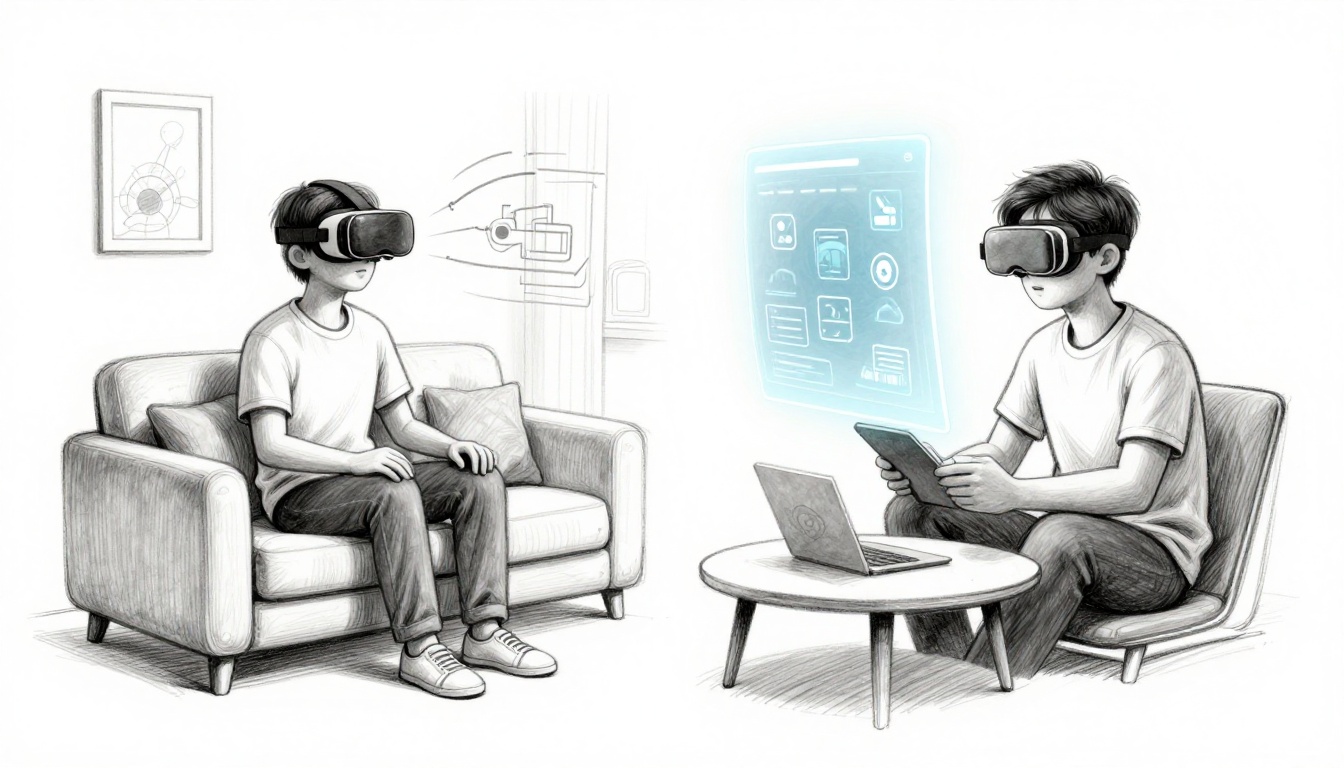
Imagine strapping on a headset and suddenly finding your living room filled with games, tools, or a giant floating screen. That moment is exactly why you might want to choose VR or AR as a beginner, but it also raises the question fast. VR puts you inside a full digital world, so it’s built for immersion and fun, while AR keeps you aware of your space and adds helpful overlays on top of it. If you want the simplest “start here” answer, pick VR if you want total escape, and pick AR if you want real-world use with less setup.
However, the beginner path in 2026 comes with tradeoffs you should plan for now. For VR, Meta Quest 3S is often the easiest entry (about $250 to $300), because it’s standalone and doesn’t need a gaming PC, and Meta Quest 3 is the step up for sharper screens (usually a bit above $300). If you already own a PlayStation 5, PlayStation VR2 can also be a smooth start, since it’s built around console gaming. For AR, lightweight options like Xreal One Pro stand out because they work more like glasses, giving you floating screens and fewer “motion” worries, though the AR app world is smaller and the use cases lean practical.
Next, you’ll see the key differences side by side, then get beginner-friendly device picks with 2026 pricing, so you can buy what fits your needs without second-guessing.
Unpack the Basics: What Sets VR Apart from AR
If you’re new to VR and AR, the names sound close. Yet the experience feels totally different once you put on the headset, or point your camera at the room. Think of VR as stepping into a movie, and AR as putting movie extras right in your living room.
So which one matches your mood? If you want to fully disconnect for a bit, VR fits. If you want help while staying aware of your surroundings, AR usually wins.
VR: Your Ticket to Total Digital Worlds
VR replaces your real world with a full, 360-degree digital scene. In other words, your headset covers your view, so you stop seeing your room. You don’t just watch the adventure, you feel like you’re in it.
A simple picture helps. VR is like putting on a backpack and suddenly becoming the hero in an action scene. You look left, and the world turns with you. You look down, and the ground is under your feet. For many people, that total focus is the best part, especially when you want to forget daily stress for a while.
Common beginner uses include:
- Gaming adventures (rhythm games, shooters, and explore-and-discover worlds)
- Virtual vacations where you “walk” through places you can’t visit yet
- Social 3D meetups where friends appear as avatars in the same space
VR works because the headset tracks your head movements and feeds your eyes new images fast. That’s what creates the “I’m there” feeling. Most modern headsets also support wireless play, so you can move more freely without being tethered to a PC or console.
Still, VR comes with real tradeoffs:
- Motion sickness risk, especially with fast turning or smooth movement
- Space needs, because you need room to swing arms safely (often around a 10 x 10 ft play area)
- Comfort and weight, since headsets can feel heavy over long sessions
If you’re choosing a beginner setup, prioritize what makes VR feel easy: wireless controls, good hand tracking, and fast setup. Modern headsets make it simpler than they used to be. For many first-timers, that’s the difference between “cool demo” and a habit you actually stick with.

AR: Supercharge Your Real Life with Digital Layers
AR blends digital content into your real environment. You still see your room, your street, and your everyday objects. Then AR adds extra visuals on top, like info floating in space or a 3D object placed where you’re looking.
Here’s the easiest way to picture it. AR feels like your phone becomes a window that can “decorate” reality. For example, Pokémon Go adds creatures to your street view. Meanwhile, home apps can show how a couch might look in your living room before you buy.
AR typically works one of two ways:
- Phone-first AR using your camera view and screen controls
- Glasses-style AR using lightweight displays (often with a smaller feature set than VR)
For beginners, phone-first AR often feels less intimidating. You don’t need a dedicated play space. You just hold up your device, then point it at a surface. Also, you usually don’t get the same motion sickness risk that VR can cause, because your eyes keep seeing the real world.
Expect AR pros like these:
- No full-body escape required, so it stays comfortable for short sessions
- Less setup friction, since you may already own the phone
- Easy sharing, because showing a screen recording is simple
At the same time, AR has limits:
- It needs good lighting so cameras and tracking can “see” well
- It’s less immersive, because you still feel grounded in your real room
- The experience depends on your device, especially battery life and camera quality
If you want proof of the basics in plain language, Coursera’s guide explains the key AR versus VR difference clearly, including how AR uses your camera for overlays. See AR vs VR differences.
So if your goal is “help me in my day,” AR fits nicely. Think navigation prompts while you walk, or a quick way to preview furniture without moving anything. Ready to see which fits your vibe better?
Top Picks for Beginners: Devices and Costs in 2026
Choosing your first VR or AR setup feels like picking a first bike. You want something that gets you rolling fast, without turning your home into a construction project. Below are beginner-friendly picks, plus the costs and practical tradeoffs that matter in everyday use.

Standout VR Headsets That Won’t Overwhelm You
If VR sounds exciting, start with devices that are standalone and easy to set up. You’ll still get strong immersion, without needing a PC or a pile of cables.
Meta Quest 3S is the “first VR seatbelt.” It’s affordable, wireless, and you can start in minutes. You get good controllers for room-scale play, plus a huge beginner game library. Expect about 2.2 hours of battery time on average, so plan short sessions at first.
Meta Quest 3 is for when you want a bit more screen sharpness and storage headroom. It also stays standalone and wireless, so your setup still stays simple. If you already know you’ll use VR weekly, the upgrade can feel worth it.
Apple Vision Pro is a premium mixed reality headset, but it’s not the easiest entry. You pay for eye tracking, premium displays, and spatial capture. Still, it’s heavy for long sessions, pricey, and best suited for people who enjoy tinkering with setup.
Here’s a quick cost and hardware reality check:
| Device | Typical US Price (2026) | Standalone? | Battery Life (real-world expectation) | Beginner setup ease | Main “why it’s popular” |
|---|---|---|---|---|---|
| Meta Quest 3S | $299.99 to $399 | Yes | ~2.2 hours avg | Very easy | Best value VR start, wireless play |
| Meta Quest 3 | $499.99 | Yes | ~2.2 hours avg | Very easy | Sharper VR experience, more storage |
| Apple Vision Pro | ~starts at $3,500 | Yes (no gaming PC) | 2 to 2.5 hours general use | Harder | Eye tracking, premium mixed tasks |
Space needs come down to comfort. For most beginner VR play, you should clear a safe area (many people aim for roughly 6 to 8 feet each direction). Also, consider comfort straps and where you charge. A charging plan matters because VR sessions end sooner than you think.
If you want more device-by-device testing notes, PCMag’s best VR headset picks are a solid reference point.
AR Gear That’s Simple and Pocket-Friendly
AR is the gentler on-ramp. You stay aware of your room, so you can try it without the “where do I swing my arms?” stress.
Start with your phone. Free AR apps let you see overlays through a camera view, so you don’t buy hardware before you trust the experience. In practice, AR-first beginners often test with games, filters, and measurement apps. You already own the hardware, so your cost is basically zero.
Next, consider glasses-style AR if you want hands-free. Ray-Ban Meta-style smart glasses aim for small displays with a familiar form factor. Still, smart glasses lean more toward “daily companion” use than full VR immersion. For deep work scenarios, HoloLens sits in a pro category where lighting and environment matter more.
Here’s what to expect for battery and light needs, since those shape your day-to-day use:
- Phone AR: Your phone battery does the work. Bright rooms usually help the camera track surfaces better.
- Glasses-style AR: You still need decent real-world lighting so sensors can lock on. Battery varies by model and usage.
- Work-focused AR (like HoloLens): You may get strong features, but you also trade for training, mounting, and stricter setup.
For practical starter apps, you’ll commonly see things like:
- AR furniture try-ons (example: IKEA Place)
- Room measuring (example: Google Measure)
- AR games and effects (example: Pokémon GO, Snapchat filters)
- Sky and planet views (example: SkyView)
If you’re still deciding between VR and AR, think of AR as “a helpful overlay,” not “a whole new world.” It’s easier to live with, especially for your first week.
Find Your Fit: Uses, Pros, and Cons for Everyday Life
Before you buy, ask yourself one simple question: do you want escape or enhancement? VR tends to pull you into a different place, while AR tries to improve what you already see. In practice, that choice shapes your fun level, your comfort, and how often you will actually use the headset or glasses.
Times When VR Delivers the Ultimate Thrill
VR shines when you want your brain to buy into “this is real.” It works like a roller coaster for your senses. You move, you look, and the world responds instantly.
Great everyday uses include:
- Epic games and story moments: Beat the feeling of “I’m watching” and switch to “I’m inside it.”
- Fitness without gym pressure: Think of VR workouts as a personal trainer that never cancels.
- Virtual travel and meetups: Walk through places you cannot reach today, then do it again anytime.
In 2026, VR also leans harder into social play. Expect AI characters to act like guides, teammates, or sparring partners. That means a session can feel less repetitive, and learning can feel more personal, since the game or coach can adapt to how you play.
Of course, VR has downsides that show up fast.
- Space matters: You need room to swing your arms safely.
- Motion sickness can hit: Some people feel it when turning or moving smoothly.
- Time flies: The fun pulls you in, so short sessions become a real beginner need.
That’s why many beginners start with comfort settings. A strong rule of thumb is to try seated modes first. Sit while you play, use teleport movement, and keep your turning small. Then, if you feel good after a few sessions, you can expand your movement.
If you want a reality check on whether VR fits everyday routines, see Virtual Reality Is It Worth It For Everyday Users And Gamers.

AR Moments That Make Daily Tasks Magical
AR works best like a friendly sticky note in the air. You stay in your room, and the tech adds useful overlays, instead of taking the world away.
These are the moments you will feel most:
- Shopping try-ons: Visualize how something fits before you commit.
- Directions overlay: Follow arrows, not guesswork, when you are walking or driving.
- Collaborative fixes: One person points, another sees the guidance on the same scene.
AR also does well for “small joy” entertainment. Some days you just want a fun effect on your coffee table or a quick game while you wait for dinner. That kind of use beats long setup sessions.
However, AR comes with real limits too.
- Device limits: Many AR experiences depend on your hardware and battery.
- Lighting and tracking: If the room is dark or cluttered, overlays can wobble.
- Less immersion than VR: You get help, not full escape.
To stay confident as a beginner, use a low-risk approach. Try free AR apps first (filters, furniture preview, simple navigation). Then you will know if the visuals look stable in your home and if you enjoy the “enhancement” style.
If you want more examples of how AR shows up in daily life, check Augmented Reality In Everyday Life: Real-World Use Cases 2026.

Your Step-by-Step Path to Picking VR or AR
Before you pick a headset, run a quick reality check. Think of VR and AR like two travel modes: VR is a plane ticket, AR is a local bus pass. One changes where you “are,” the other changes what you “see.”
Weigh Budget, Space, and Your Daily Routine
Start with the simplest filter: under $500 and low setup stress usually points to AR. If you have room to move safely (and you want full immersion), VR often feels better.
Use this fast rule of thumb:
- Under $500? Start with AR on your phone (or AR glasses if you already know your fit and tracking works at home).
- Gamer with room to play? Choose VR, especially standalone models around the $300+ range.
- No space for swinging arms? Go AR glasses or phone AR to avoid constant re-centering.
Next, map the device to your daily routine. Ask yourself when you will actually use it. Morning breaks? Late-night “just one more level”? Quick couch demos?
Then check the physical friction:
- VR needs a play zone, so clear a safe area and plan where controllers can land.
- AR needs good lighting, so a dim room can mean shaky tracking and a worse first impression.
- Both need comfort, but VR makes fit and weight feel more obvious after 20 minutes.
If you want a simple self-test, answer these:
- Can you clear a small area in your home most days?
- Do you prefer moving around, or staying put?
- Do you want games first or practical daily tasks first?
If you hesitate on space, AR wins more often than people expect.

Test Before You Invest and Spot Future Winners
Impulse buys feel exciting, but headsets get expensive fast. Instead, treat the first week like a test drive. Use demos, store try-ons, and free games to learn your tolerance for motion and comfort.
Here’s a clean plan:
- Find a free trial path. If you can, try a unit in-store. For VR trials, look for options like VR headset trial requests.
- Run one “comfort session.” Wear it, move your head, then stand up and sit down. If you feel off, pause.
- Try one “wow” app and one practical app. This shows whether you bought a thrill or a habit.
- Check a demo before you commit to a library. For example, you can start with a VR demo on Steam.
Now watch for what’s likely to win next. 2026 trends favor wireless VR, AI-driven personalization, and mixed reality features that blend real and virtual without a huge setup. Meanwhile, AR keeps spreading into everyday life because it works as “glance-and-go” help, not a full replacement.
A useful read on what people expect next is Top VR & AR Trends in 2026. It helps you spot which features are gaining traction, and which are mostly hype.
Finally, set a rule for yourself: don’t buy on day one. Test, compare comfort, then upgrade only if your routine proves you will use it.
Conclusion
If you remember one thing, make it this: choose VR for escape thrills, and choose AR for real-life help. Since you’re a beginner, your goal and your comfort with setup matter more than specs.
VR tends to win when you want to block out your room and feel like you’re inside a game, workout, or virtual meetup. AR tends to win when you want floating screens or useful overlays while you stay aware of your space. Both are great options in 2026, so pick the one that fits your daily routine.
Ready to start? Grab a beginner-friendly Meta Quest 3S if you want an easy VR entry, or try Xreal One Pro if you want lighter AR screens right away. Then install one starter app and test comfort for 20 minutes.
What would you use first in your own home, VR for games or AR for practical tasks like planning and measuring? Your first VR/AR adventure awaits in 2026!