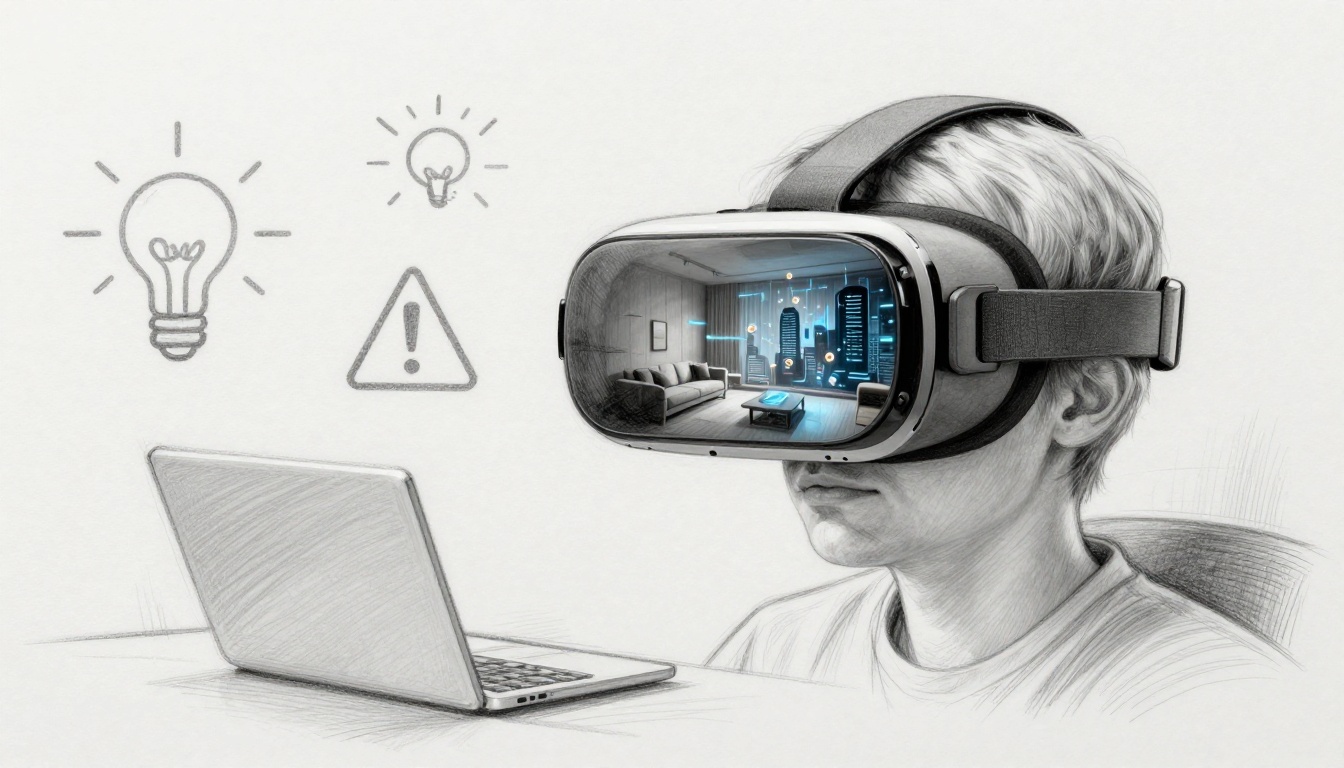
Slipping on a VR headset can feel like a cheat code. One moment you’re in your living room, the next you’re dodging zombies or walking through ancient streets. It’s not magic, though. VR (virtual reality) uses headsets to create 3D worlds you can look around and interact with using head and hand movement.
That’s why VR keeps spreading into places that go beyond gaming. In 2026, more people and companies are testing VR for training, learning, and remote work. For example, realtime data shows 75% of Fortune 500 companies use VR for training and education.
Still, VR isn’t all smooth sailing. Some users get motion sickness, others worry about privacy, and the total cost can add up faster than you’d expect. Even when headsets get cheaper, not every app is great, and not every body handles VR the same way.
So what are the real advantages and disadvantages of VR technology? This guide breaks it down with sector stats and practical examples, so you can decide if VR fits your goals and your comfort level.
How VR Delivers Thrilling and Practical Benefits
VR’s main advantage is simple: it changes how your brain responds. Instead of watching a screen, you feel present in a space. That matters because learning and training often stick better with real actions and real feedback.
A quick way to picture it is this: VR is like turning a textbook into a hands-on workshop. In addition, the best systems let you move naturally, so tasks feel less “controlled” and more like you’re actually doing them.
Here’s what adoption looks like across major areas in the US and beyond, based on realtime 2026 data:
- Gaming is the top use (about 64% to 70% of VR use centers on games)
- Education is a major use (around 30% of universities worldwide offer VR courses, with big growth in setups)
- Healthcare is growing fast (about 40% of providers use VR, including training)
- Business adoption is broad (about 75% of Fortune 500 firms use VR for training)
If you want a grounded view of where VR delivers value, you can also see how different teams measure results in guides like Why Virtual Reality Is Important: Exploring the Benefits of VR.
Meanwhile, hardware keeps improving. Headsets are lighter than earlier models, and newer tracking makes movement feel steadier. Some setups add haptics (touch-like feedback). For example, vibration in a controller can mimic impacts. That blend of visuals and feedback is a big part of why VR can feel so real.
The next sections show where those benefits show up most clearly, and why the “wow” often turns into real outcomes.
Transforming Gaming into Full-Body Adventures
Gaming is where VR wins attention first. It also wins because it changes timing. In flat games, you react with thumbs. In VR, your body reacts too. Your head turns first, then your hands follow, and your brain gets stronger cues about distance and motion.
Many users play because it feels intense and physical. Realtime stats show 64% to 70% of VR users mainly play games, which fits the trend. Also, more VR titles now support higher frame rates and better controller tracking. As a result, fast movement feels smoother and more responsive.
In addition, haptic accessories and full-body tracking are making the experience more lifelike. A zombie fight in VR isn’t just “aim and shoot.” You duck, swing, and step back. When tracking is accurate, your avatar mirrors you closely. That reduces the mental lag that makes motion feel wrong.
One common user story goes like this: you think a punch will land, but then it feels delayed. That tiny mismatch breaks immersion. On the other hand, when tracking and visuals sync well, it feels like your actions matter in the world.
For many players, VR gaming beats flat screens for one main reason: your senses do more work. Instead of only seeing and hearing, you also move and feel feedback. Therefore, you get deeper immersion without changing genres. The game loop just gets a new layer.
Making Learning Hands-On and Memorable
Education is where VR becomes more than entertainment. In many classes, the issue isn’t motivation. It’s risk, cost, or access. You can’t safely run repeat lab experiments on a real surface that burns. You can’t always travel to historical sites. VR helps fill those gaps.
Realtime 2026 data points to education as a key use of VR. Also, about 30% of universities worldwide offer VR courses (not just experiments in a lab). That’s a sign that VR is moving from pilot programs into real curricula.
In education, the value usually comes from three things:
- Practice without pressure (you can retry without wasting materials)
- Safe simulations (students can explore risky steps under control)
- Clear feedback (you see results from your actions)
For example, VR science labs can let students handle procedures that are hard or expensive in person. History programs can also put learners inside time periods, not just in front of photos. Meanwhile, learners who struggle with reading can benefit from visual context.
As VR becomes more common, accessibility improves too. Wireless headsets make setups easier in classrooms. Some tools also use AI to adjust lessons based on how a student performs, which can help those who move slower or need more review.
Of course, education has limits (more on that later). Still, when VR supports repeat practice, it can make lessons feel less like memorizing facts and more like building understanding.
Enhancing Healthcare Training and Therapy
Healthcare has a unique problem: mistakes can harm people. So training needs repetition, but it can’t always rely on real patients. VR helps by offering simulated practice that supports learning-by-doing.
Realtime 2026 data shows about 40% of healthcare providers use VR. It also highlights training results. One reported stat indicates VR training can lead to 40% fewer errors for surgeons during practice.
That’s a big deal because surgical skill has a steep learning curve. In VR, trainees can repeat steps and build muscle memory without real-world consequences. Plus, haptics can make certain interactions feel closer to real instruments, depending on the setup.
VR also supports patient therapy in some contexts. For example, clinicians can guide exposure exercises in controlled virtual environments. However, VR in healthcare needs care, not hype. Legal and practical issues come up when VR is used for therapy, consent, and risk management.
If you want a deeper look at that side, see Virtual reality therapy and how to avoid its legal and practical pitfalls. It’s a reminder that VR is a tool, not a substitute for good clinical policy.
Even with those cautions, healthcare remains one of VR’s strongest use cases. When the goal is training and safety, VR’s advantages can outweigh its drawbacks more often than in casual entertainment.
Streamlining Remote Work and Team Meetings
Remote work is still here, but video calls can feel flat. VR meetings aim to solve that by using shared 3D space instead of a grid of faces. When teams gather in VR, gestures, scale, and spatial cues can feel more natural.
Realtime data suggests 75% of big firms use VR for meetings and training. That aligns with a wider move toward 3D collaboration spaces. Instead of describing a product with words, teams can show it from multiple angles. Then people can point, circle, and discuss as if they’re standing around a real object.
Because VR supports motion, demos feel more interactive. Also, presentations can feel less scripted. If everyone shares the same virtual room, you can discuss details without constantly switching between slides and camera views.
However, this only works well when VR systems are stable and easy to join. If setup takes too long, teams get frustrated. Still, for groups that run regular training or product reviews, VR can reduce back-and-forth and help people grasp complex structure faster.
So VR isn’t just about “looking cool.” It can support collaboration when the task benefits from 3D context.
Real Challenges That Can Ruin Your VR Experience
VR’s downsides are real, and they show up fast if you’re sensitive or if the setup is poor. Some people can use VR comfortably for long sessions. Others feel off within minutes.
In 2026, the most common issues still fall into a few buckets: health effects, privacy risks, cost, and limited content. If you’re trying VR for work or school, these concerns deserve equal attention.
Here are key challenge stats and themes from realtime reporting:
- Cybersickness hits about 20% to 30% of users (nausea from motion mismatch)
- Privacy risks can involve tracking data like eye and gesture patterns (one reported risk includes guessing sensitive info with high accuracy)
- Cost pressure remains for many buyers, even if some models are cheaper
- Content gaps can limit how much you actually use VR
For a broader list of tradeoffs, you can also review The Pros and Cons of Virtual Reality Technology (2026).
The big takeaway: VR isn’t “safe by default.” It’s like a workout. Done right, it helps. Done wrong, it hurts.
If you feel dizzy, stop. Push through once and your brain may remember the bad feeling.
Battling Nausea and Eye Strain from Cybersickness
Cybersickness is one of the biggest disadvantages of VR technology. It often happens when your eyes see motion that your inner ear doesn’t feel. For some people, that mismatch triggers nausea, dizziness, or headaches.
Realtime data suggests cybersickness affects 20% to 30% of users. That’s not a small group. Also, people who wear prescription glasses may still feel strain if their lenses aren’t comfortable or if the headset design doesn’t fit their face well.
Even when refresh rates improve, some users can’t adapt. Others get used to it over time. Still, you shouldn’t treat “getting used to it” as guaranteed.
Simple habits can help:
- Start with short sessions (then stop before you feel bad)
- Choose comfort modes in games and apps
- Avoid smooth locomotion if it triggers nausea
- Adjust fit and IPD settings if your device has them
Eye strain is related. When visuals don’t feel perfectly sharp or stable, your eyes work harder. Therefore, a “cool demo” can leave you with a headache if you try to binge it.
Privacy Nightmares from Constant Tracking
VR headsets can track more than you might expect. Many systems monitor head movement, hand position, and gaze direction. Some also collect patterns that help apps understand what you’re doing.
The privacy concern is not just “it records video.” It’s what the data can suggest. For example, one reported risk describes sensitive info exposure through eye-tracking behavior, with about 90% accuracy in a scenario like password guessing. Even if your use case is different, it shows why tracking data matters.
In addition, your VR activity may reveal things you didn’t intend to share. What you look at, how long you stare, and what you choose in an experience can become a pattern.
So what should you do? Basic steps help:
- Check privacy settings before you wear the headset
- Limit permissions when possible
- Avoid entering sensitive info in VR environments
- Use separate accounts for different uses
Also remember that privacy risk grows when companies add third-party integrations. Therefore, you want to know which services your headset apps connect to.
Weighing High Costs Against Everyday Access
Cost is a quieter disadvantage because it doesn’t hit everyone the same way. You might see a headset price and think you’re done. Then you discover you need controllers, accessories, or a PC that can handle VR.
Even as pricing improves, many people still spend hundreds of dollars to get a solid setup. Wireless can add convenience, but it still adds cost.
Then there’s the practical side. VR only helps if you actually use it. If you feel discomfort after 15 minutes, you might not stick with it. Some families also worry about overuse, since VR can be more addictive for some kids than casual screen time.
Content limits the value too. Not every app is a “killer app.” If you only find a few fun experiences, the cost can feel harder to justify.
Even so, VR is still expanding. The long-term question is whether hardware and software become more affordable and more useful, not just more impressive.
Where VR Technology Is Headed Next
VR in 2026 is pushing toward two main directions: better realism and broader use. First, many teams are blending VR with mixed reality ideas, so users can interact with virtual objects in spaces closer to their real environment.
Second, hardware improvements aim to support more senses. Haptics are evolving, and tracking keeps getting more accurate. As a result, the “computer lag” that breaks immersion gets less common.
AI also plays a role. It can help personalize training and reduce wasted time. For example, a course can adjust pacing based on how you perform. That matters for both learning and work.
Business adoption is likely to keep growing. Realtime data suggests businesses drive a large share of VR revenue growth by 2030, and many jobs will use VR or AR tools as part of daily work.
Still, the next stage depends on solving current problems. Privacy controls need to be clearer. Cybersickness still needs more comfort-first design. And education needs more flexible lesson formats, not just one-off experiences.
If you’re tracking what comes next, you can compare trends in pieces like The Future of VR: Top Trends and Applications for 2026.
VR’s biggest future advantage will likely be how well it fits real life. The best headset won’t matter if the apps don’t feel useful.
Conclusion: VR’s Promise, and When to Skip It
VR brings real advantages in gaming, training, and 3D collaboration. It can make learning more hands-on and help healthcare teams practice without risking patients. In work settings, VR meetings can feel more natural than flat video, especially for product demos.
At the same time, VR has clear disadvantages. Cybersickness affects a meaningful share of users, and tracking creates real privacy concerns. Cost and uneven content quality can also limit how often you’ll use it.
If you’re a gamer, a student, or a trainer, VR can be worth your time. If you get motion sickness easily, start slow and choose comfort-first options.
What would convince you most, a safer comfort mode, stronger privacy controls, or better everyday apps?