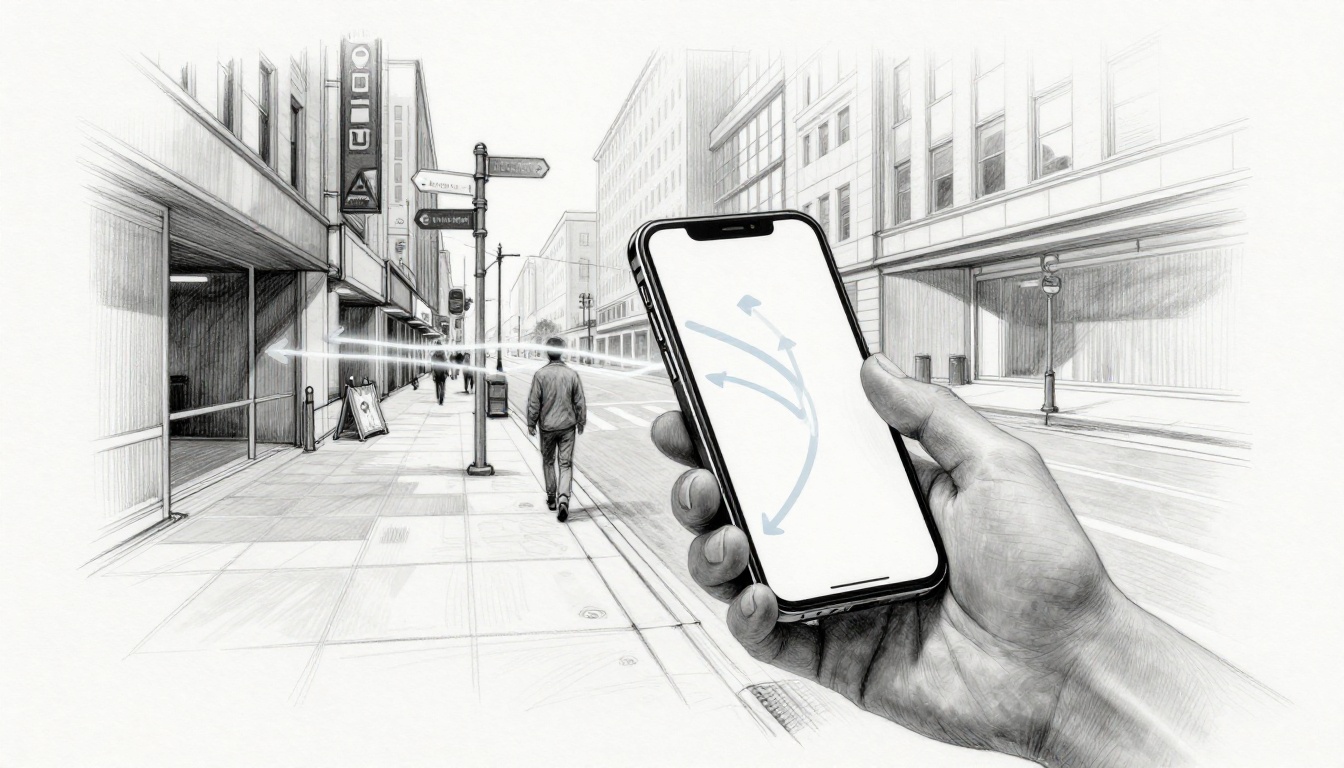
Picture walking through a busy street and seeing glowing arrows on your phone pointing the exact way. That’s AR used in navigation and maps: your camera view stays on, while the app overlays directions, labels, and landmarks right on top of what you see. Instead of squinting at a traditional map, you follow guidance that appears in context, turn by turn.
You’ll notice the difference most in tricky spots, like a construction detour, a crowded intersection, or a parking garage where signs don’t help. AR can also keep you oriented because the arrows line up with real-world landmarks, so you don’t have to keep mentally rotating the map. In March 2026, features like Google Maps Live View push this further with clearer guidance and smarter location understanding.
Next, you’ll see how AR navigation works in real time, and why it’s become the go-to approach for pedestrian routes and on-street directions.
See Directions Live on Your Phone with Pedestrian AR Navigation
Walking directions get a lot easier when your phone stops asking you to guess. With AR pedestrian navigation, you point your camera at the street and the app paints guidance right into what you see. Instead of bouncing between a 2D map and real sidewalks, you follow AR walking directions that feel like a friend standing beside you.
This is where AR shines in real life, especially in dense cities, unfamiliar neighborhoods, and places with confusing layouts. Have you ever looked at your screen and thought, “Wait, which way am I facing?” AR cuts that stress by aligning arrows to real landmarks.
And in 2026, you can see fast adoption in the most common use cases: quick walking trips, tourism days, and last-mile routes from transit stops. According to recent 2026 tracking, Google Maps Live View grew 38% year-over-year, and AR walking directions usage rose 22%, with gains strongest among people aged 18 to 34 in city areas. Those numbers reflect a clear pattern, people want directions that make sense immediately, not after a mental reorientation.
Next, here’s how the two biggest map ecosystems handle the same core idea: show turn guidance in your camera view.
Google Maps Live View Leads the Way
Google Maps Live View takes pedestrian AR navigation and makes it feel like the street is helping you. When you start walking directions, the app uses your phone’s camera and motion sensors to place projected arrows in the real scene. As you move, the guidance updates, so the arrows stay aligned with the sidewalk and the buildings around you.
You’ll typically see a mix of:
- Turn arrows that show where to go next
- Distance cues that help pace your walk
- Points of interest that appear as simple overlays over the camera view
- Street-context hints that make you feel oriented, not lost
What does that look like at street level? Picture yourself at an intersection. You raise your phone, and the screen shows your surroundings. Then the app places a right-turn path in the scene, pointing past the crosswalk. You don’t need to “rotate” a map in your head. Instead, you just follow the direction that matches the world in front of you.

A big reason Live View feels practical is its hands-free nature. You can keep your eyes on the street while the guidance sits in your camera view. Also, Google continues improving how it recognizes landmarks faster, which reduces the “wait, are you sure?” moments.
If you want a quick feature baseline, Google’s help docs cover how Live View and related AR options work on Android, including real-world requirements like camera permissions and coverage limits in supported areas. See Use Live View on Google Maps.
There’s also AndroidXR integration, which matters for people who use phones alongside other AR-ready experiences. In plain terms, it signals that AR navigation guidance is moving toward more consistent positioning and better spatial awareness across supported devices.
Real user benefits show up fast in everyday scenarios:
- Safer crossings in heavy traffic because you focus on the lane and sidewalk you’re stepping into
- Less confusion in crowds when street names are hard to read
- More fun exploration when you’re wandering, not just commuting
Live View works best outdoors in areas with good visual coverage. Even so, for tourists and first-time visitors, it turns “How do I get there?” into “Follow that arrow.”
Apple Maps AR Makes Turns Crystal Clear
Apple Maps AR walking guides aim for the same goal as Google Live View: make turning feel obvious. Once you start walking directions, you can hold up your iPhone and see an outdoor camera view with AR overlays that show where to go next. The turn guidance sits in the real world view, so you spot your next step without switching back to a top-down map.
For iPhone users, this feels like point-and-see navigation. Instead of staring at a route line, you look where you need to move. Then you follow the on-screen guidance that matches the street ahead. Labels and directional cues appear near the relevant spots, which helps when multiple streets intersect close together.
You can think of it like using a flashlight in the dark, but the light is “placed” on the street. The app reduces the mental effort of figuring out your orientation. As a result, AR walking directions work well for people who want confidence in unfamiliar places.
Apple’s approach also fits naturally into the Apple ecosystem. If you already use Apple Maps for transit times, saved places, and routine trips, the AR view becomes a continuation of that same workflow. You don’t feel like you’re jumping into a new tool. You just get another way to see the next step.

Tourist days are a great example. Imagine landing in a new neighborhood, then walking from a hotel to a museum. You step out, point your iPhone toward the street, and AR guidance helps you keep moving even when you can’t easily spot the right entrance from the corner. In other words, you spend less time asking strangers and more time seeing the place.
If you want official setup details for how Apple Maps walking directions work on iPhone, Apple’s user guide covers the feature under walking directions and camera-based guidance. Use Get walking directions in Maps on iPhone.
Compared with Google, Apple’s AR feel can come off smoother for people who already prefer iPhone motion handling and interface patterns. The key difference isn’t the basic idea, it’s the experience you get when the overlay appears quickly and stays readable while you walk.
So when you’re planning routes, keep one thing in mind: AR guidance is most reliable when the app can recognize the environment. When it does, turning on foot feels less like guessing and more like following a line you can actually see.
Top Car Brands Pioneering AR HUDs
If you’ve ever wondered how AR automotive navigation can help without stealing your attention, look at the brands that put guidance on the windshield. AR heads-up displays (HUDs) project turn arrows, lane cues, and alerts right where your eyes already land, the road ahead. In other words, your gaze stays forward, not down at a screen.
Now think about this: What if your car pointed out the next turn without looking down? That’s the promise. Instead of guessing distances or reading tiny text at the wrong moment, the HUD places guidance in real-world context. As a result, driving feels more like following a well-lit path than trying to read directions off a map in motion.
Mercedes-Benz, Audi, and Hyundai are standing out because they pair the visuals with real driver needs: smoother timing, clearer lane support, and alerts that show up only when you need them. Let’s break down what each brand brings, and why their approaches matter for safer navigation.
Mercedes-Benz AR Navigation: Guidance Built into MBUX Head-Up Displays
Mercedes-Benz focuses on AR-style navigation inside the cockpit, using its MBUX head-up display setups to bring route info into your field of view. When the system is active, it can blend navigation visuals with the scene in front of you, so the next step feels connected to the road.
This matters most during complex moments, like when you’re on a multi-lane highway and a ramp splits off. You don’t just need “turn left.” You need the cue to line up with your lane, and you need it to appear without forcing extra head movement.
Mercedes also treats the HUD as part of the car’s overall driver workflow. So instead of fighting your way through separate apps, the HUD connects navigation, your current driving context, and the way the car already communicates with you. For drivers who want guidance that feels integrated, this is a key advantage of Mercedes’ AR HUD direction.
If you want the manufacturer view on how the head-up display works with augmented reality, start with Mercedes-Benz HUD with augmented reality. You’ll get a clearer sense of what’s configurable and how the system presents information.
From a safety angle, the goal stays simple: reduce distractions. The car becomes your “second set of eyes,” but it shows cues in the same space as your driving vision.
Audi’s 2026 AR HUD: Smooth Animations and Award-Winning Guidance
Audi is getting major attention for its AR HUD approach in 2026 models. Reports highlight a system that brings smooth, animation-like navigation to the windshield, with cues that feel steady instead of jumpy. That’s important, because unstable motion can make drivers second-guess what they’re seeing.
Audi’s AR HUD places guidance in two zones. One part handles static items like speed or core warnings, while the AR overlay looks down the road and places turn-related information at an estimated distance ahead. Then, as you drive, the overlays update and grow closer as your position changes. In other words, the display behaves like a guide that respects real distance.
Even better, Audi’s HUD supports audio cues that can work with the guidance timing. For many drivers, that combination helps with “readiness.” You see the cue, then you hear the next prompt close behind, so you don’t miss the moment to act.
What kind of cues show up? Common examples include:
- Turn arrows tied to what’s ahead, not just where you are
- Lane guidance that helps confirm you’re staying positioned correctly
- Traffic and hazard alerts that draw attention at the right time
- Distance reminders that nudge you to slow for turns or changing conditions
Audi’s system also earned attention through real awards. MotorTrend named Audi’s augmented reality as part of its Best Tech 2026 recognition, calling out the fluid feel of the guidance. You can see coverage via MotorTrend’s Best Tech 2026 Audi AR HUD.

Behind the scenes, Audi’s precision comes from tracking car movement and aligning the overlay to the real roadway. Instead of “sticking” the arrow to the wrong spot, the system follows motion so the graphics stay believable. That’s the difference between AR that feels helpful and AR that feels distracting.
Hyundai AR HUD: Bringing Augmented Mode to More Drivers
Hyundai’s momentum is tied to making HUD tech more available, and early reports point to Hyundai adding an augmented reality HUD mode in newer vehicles. This is a big deal because it takes a feature that used to feel rare and pushes it toward mainstream buyers.
In an AR HUD setup, the system typically projects route guidance, traffic cues, and key driving information while you keep your eyes on the road. Then, when the guidance mode activates, it aims to place the navigation cues where they make sense for the next driving action. For example, drivers can get turn guidance and lane-related support without constantly switching gaze between the windshield and an instrument screen.
Hyundai’s AR HUD direction also fits how many drivers already use navigation today. People don’t want a full lecture on a dashboard. They want a clear cue at the right time, especially in rain, at night, or near confusing exits.
If you want one place to see what Hyundai has announced about an AR HUD mode, check Hyundai IONIQ 5 AR HUD coverage. That reporting describes Hyundai’s move into augmented HUD support and what it means for navigation on the road.
As AR automotive navigation matures, Hyundai’s approach stands out because it targets real driver friction points. The friction is usually simple: you miss the turn cue, you misjudge distance, or you hesitate because you’re not sure. A well-timed AR HUD reduces those moments by keeping guidance visible in the same place your driving decisions happen.
Master Indoor Spaces Like Malls and Airports with AR
Outside, AR navigation can lean on GPS and strong signals. Indoors, that support drops off fast. So AR indoor navigation uses a different recipe: scan what’s around you, figure out your exact spot inside the building, then draw directions on the live camera view.
This matters in places like malls, airports, hospitals, and campuses. People get lost in them even when they “know the way.” With AR indoor navigation, the building becomes a guide, not a maze.
In practice, the best systems feel like following a trail of light. You raise your phone, point it at a corridor or signpost, and the app places 3D arrows and distance cues right where you need to go. Meanwhile, it can reroute when an entrance closes, a floor is under repair, or an elevator stops working.

Navigine and Other Indoor AR Tools
When you’re building indoor AR routes, precision and deployment options matter as much as the visuals. Some tools focus on phone-first wayfinding. Others target enterprise apps for operations teams. Still others include AR experiences for visitors, not just directions.
Navigine: QR-based AR routes built for accessibility and scale
Navigine stands out because it’s designed for big public spaces where people need help finding the right way, fast. It uses QR-based scanning and indoor positioning so the app can place guidance with 3D route overlays. You get a clear path on-screen, plus turn cues that stay aligned as you move.
In real venues, that translates into fewer “Where is it?” moments. It also helps teams meet accessibility needs. For example, a mall or hospital can route a wheelchair user around stairs and prioritize elevators. If an obstacle blocks a path, the system can adjust the route in real time.
Here’s what Navigine-style indoor navigation typically gives you:
- QR-based entry points to quickly confirm location inside the building
- 3D route visualization that reduces guesswork in long corridors
- Accessible route options that adapt to mobility needs
- Enterprise support for updates when construction changes layouts
- Support across phones and AR-ready devices, depending on the deployment
If you want a clear view of how Navigine approaches indoor AR navigation, the company’s overview page is a solid starting point: Advanced AR Indoor Navigation | Navigine. For teams planning installs, their discussions on indoor navigation with augmented reality also help: Indoor navigation using augmented reality.
For logistics, the story gets even more practical. Warehouses can use indoor routing for workers moving between pick zones, loading docks, and storage areas. When directions update quickly, workers spend less time searching. That means fewer delays, fewer missed tasks, and less frustration on the floor.
Other indoor AR platforms for airports, tourism, and wayfinding
Navigine isn’t the only option. Other providers aim at different environments and buyer needs, from airport visitor flow to tourism experiences.
Pointr is a well-known indoor location and wayfinding platform used across places like airports and museums. It focuses on indoor maps plus precise positioning, which supports AR overlays for visitor navigation. One example use case includes campus-to-building routing and accessibility mode options. You can see the direction from their indoor navigation system page: Pointr Deep Location indoor navigation.
For tourism and landmark spaces, indoor AR often shows up as “guided routes with meaning.” Instead of only pointing toward your next door, it can add context, like which exhibit entrance comes next or which corridor leads to the gift shop. The user still follows directions, but the app also turns navigation into a smoother visit.
Meanwhile, some vendors focus on the visitor experience layer. ARway targets indoor mapping and AR experiences for venues, so teams can offer both navigation and interactive content. Their platform entry point is here: ARway indoor mapping and navigation.
Finally, for large venues that want AR alongside smart glasses and accessibility improvements, Briteyellow emphasizes AR navigation and glasses-based guidance. If that’s the direction you’re considering, their AR navigation overview helps set the tone: AR Navigation and Smart Glasses – Briteyellow.
The real win in indoor AR navigation is trust. When the arrow stays in the right place, people stop questioning the screen.
Devices: phones, glasses, and hands-free routing for work
Most indoor AR today runs on phones, mostly because deployment is simpler. You can scan QR markers, use the camera for alignment, and render arrows on-screen without changing too much of a building.
At the high end, AR glasses become a big deal. They let staff or visitors keep their hands free. That matters in warehouses, hospitals, and airports, where people carry items or manage equipment. If the guidance sits in your field of view, you spend less time looking down and more time moving safely.
So the device choice comes down to one question: who needs the guidance, and what are they holding while they walk? In many indoor spaces, AR indoor navigation works best when it matches the real job, the real path, and the real constraints.
Why AR Navigation Wins Big Plus Roadblocks to Watch
AR navigation wins because it cuts the distance between “where I am” and “what I should do next.” Instead of treating directions like a puzzle, AR draws them right onto the real scene. You glance once, then you move.
Think of it like having a very careful co-pilot who speaks in arrows, not instructions. That matters most when roads get messy, crowds get dense, or buildings stop making sense.

Key Advantages That Make AR a Game-Changer
First, accuracy feels better in motion. AR navigation aligns turn cues with what the camera sees, so the “next step” looks tied to the street, not floating on a map you have to mentally rotate. In a busy intersection, that can mean fewer wrong turns because the arrow points toward the crosswalk you’re approaching.
Second, safety improves because your eyes stay where they should. With AR HUDs in cars, you can read turn guidance in your line of sight. For pedestrians using live camera guidance, you avoid the habit of constantly checking a small map while walking near traffic.
Third, AR supports more people and more needs. Voice output, clearer wayfinding cues, and high-contrast guidance options can make route following easier for users who struggle with standard signage or low vision. Indoor AR is also helpful when the environment changes, because the app can reroute around a blocked corridor or a broken elevator.
Fourth, AR is more engaging, which can lower stress. When directions appear as visual landmarks, navigation feels like following a trail, not solving directions. For example, during last-mile trips from transit stops, people spend less time feeling lost and more time walking confidently.
Here’s how these benefits show up in real scenarios, across the types you’ve already covered:
- Accuracy in context: Live View style arrows reduce hesitation at confusing street corners
- Safety in action: HUD turn cues help drivers avoid glancing down at screens
- Inclusivity in buildings: Indoor routing can prioritize accessible paths and elevators
- Engagement during exploration: Museum visits and tours feel guided, not transactional
Also, the market momentum backs this up. One forecast places AR navigation growth to $6.33 billion by 2029, showing strong demand for these “see-it-now” directions. For perspective on where the industry expects growth to land, see AR navigation forecast to 2029.
Honest Challenges Holding AR Back
Now for the parts that slow adoption. AR navigation is still harder than plain maps, because it depends on hardware, sensors, and environment.
Costs come first. Many people do not own AR-ready glasses, and even phones need strong cameras and enough processing power. That pushes AR into higher-priced phones and newer vehicles first, then gradually spreads outward.
Next, privacy fears are real. AR navigation often uses camera input and precise location data. As a result, people worry about being tracked, even when the app says it anonymizes data. If you want a quick look at how industry discussions frame these concerns, review AR navigation consumer trends and outlook.
Then there’s dependency on tech and connectivity. Outdoors, live guidance can work well when the phone’s sensors and visual cues cooperate. Indoors, it gets tougher. Poor lighting, reflective floors, or blocked camera views can reduce tracking quality. Also, some systems rely on cloud updates, so service interruptions can hurt routing freshness.
Finally, battery drain and thermal limits can make AR feel unreliable late in the day. If the guidance needs the camera and GPS at the same time, you burn power fast. That’s why many products try to reduce AR time, then fall back to standard navigation when performance drops.
The good news is that solutions are emerging. Teams are improving on-device processing to reduce internet dependency. Others are moving toward more privacy-first design, like clearer permission controls and tighter data handling. On the indoor side, providers are expanding QR and marker-based options because they work even when GPS fails.
Bottom line: AR navigation is powerful, but it still needs trust. When you balance accuracy with privacy, and smooth visuals with reliable routing, people will keep using it.
The Exciting Future of AR in Maps and Navigation
AR navigation is shifting from “help me find the street” to “help me handle the moment.” That change matters, because real trips come with real surprises: a jam, a detour, rain, and construction you did not plan for. So why should your directions stay fixed when the world keeps moving?
In the next few years, future AR navigation trends will lean on smarter routing, better sensor use, and more hands-free guidance. At the same time, car safety systems, wearable devices, and indoor routing will push AR into more everyday trips, not just tech demos. The best part? AR turns navigation into something you can follow without constantly breaking your focus.

AI-Smart Routes That Change as Conditions Change
Traditional navigation shows you a route, then hopes you behave. AR navigation is different. It can react as your environment changes, because it can track where you are and what you see.
For example, AI can adjust a path when traffic slows down or an accident blocks a lane. Weather can also matter. If rain starts to form, an AR system may suggest a route that avoids steep hills or areas with frequent flooding. In other words, you do not just get turn-by-turn directions. You get a direction plan that thinks ahead.
A key step is visual positioning. Some systems can use your camera view to estimate location, even when GPS struggles. That helps in places with tall buildings, where signals bounce around.
Here’s what “dynamic” looks like in practice:
- Route swaps in plain sight as your phone or glasses continues tracking your position
- Earlier warnings for turns that will feel tight at speed
- Context-based choices, like steering you away from a crowded pedestrian crossing
- Fewer dead-ends, because the system can re-check the route while you walk
If you want a market view of why this direction is gaining traction, check AR navigation market growth accelerates with adoption. It’s a reminder that this shift is not only technical, it also changes demand fast.
AR Guidance Meets ADAS in Cars (and It Gets Safer)
In cars, the future is not just AR on a phone screen. It’s AR tied into driver assistance, so guidance can match what the vehicle already knows.
That matters because ADAS systems already watch the road for lane position, nearby vehicles, and collision risk. When AR sits on top of that, it can show cues that fit the same timing and confidence level. Instead of generic “turn left,” you get guidance that respects braking distance, lane availability, and turn geometry.
Think of it like a coach plus a referee. The AR cue tells you what to do next, while ADAS helps decide when your next move should happen. As a result, the guidance can appear at the right moment, not too early, not too late.
You also see this in AR HUDs. Heads-up displays can place turn arrows and lane cues where your eyes already focus. Meanwhile, alerts can use visual priority, so you catch them without hunting for small text.
Here’s a practical example: if a lane change becomes risky, the system can nudge you with a guidance update. At the same time, the HUD can show turn timing that accounts for your current speed.
If you’re curious about how smart glasses and wearables are moving into this space, AI/AR glasses trends and future outlook offers a good look at device direction and industry momentum.
The goal is not more information. The goal is better timing.
Shared Anchors and 3D Mapping That Stays Put
AR navigation also needs something maps have struggled with for years: stability. If an arrow floats slightly off, people stop trusting it. So the future points toward shared anchors, meaning saved 3D reference points that help everyone align to the same space.
Instead of the app rebuilding its understanding every time, anchors can keep guidance consistent. That helps with repeat trips, crowded events, and long routes through complex areas. It also helps indoors, where GPS fades and lighting can vary.
In simple terms, shared anchors make AR navigation act more like road paint than a temporary sticker. The arrow still moves with you, but its placement depends on stable reference points, not guesswork.
This concept also supports features like:
- Better handoffs between phone AR and glasses AR
- More consistent routing in parks, venues, and transit stations
- Faster “I’m here” confirmation after the app first scans
With shared anchors, AR can also support community-sourced updates, because the system can tie new route edits to the same 3D framework.
Wearables That Reduce Glance Time
Smart glasses bring a major UX shift. Instead of you holding your phone up, guidance can appear in your field of view. That reduces glance time, which matters for both safety and comfort.
In the near future, expect glasses to support more than arrows. They can show subtle cues for lane position, turn readiness, and “slow down now” moments. Some designs also pair AR with audio, so you get a cue when you need one, not only when your eyes are free.
Comfort improvements also matter. People will not adopt glasses if they feel heavy or drain fast. Still, adoption keeps rising because the use case is simple: walk or drive without checking a screen every few seconds.
If you want a quick read on the broader direction, AI smart glasses and wearable trends in 2026 and smart glasses technology in 2026 highlight why hands-free guidance is becoming a mainstream expectation.
Better Indoor AR That Works When GPS Fails
Outside, AR can lean on GPS and strong visuals. Indoors, it needs a new plan. The future keeps improving indoor AR routing by using camera scans, markers, beacons, and QR entry points.
What changes over time is how quickly the app understands the space. You should not need a long setup. You should scan a corridor, get directions, and start walking.
Also, indoor AR will handle changes better. An elevator outage, a blocked hallway, or a closed entrance can trigger a route update while you’re already moving. That helps airports, malls, hospitals, and campuses feel less like puzzles.
In addition, indoor AR can support accessibility needs more easily. Instead of one generic route, it can guide you toward ramps and elevators. It can also adapt when a path becomes crowded.
Here’s the real win: indoor AR can make the building feel “smaller.” It stops you from guessing, so you spend less time standing still with your eyes on a tiny map.
How Urban Planning Will Benefit From AR Navigation
AR navigation does not only help individuals. It also gives cities and venues better signals about how people move.
When navigation systems log route patterns (with privacy controls), planners can see bottlenecks in real life. For instance, a crowd hotspot might appear at a specific entrance at certain times. Construction detours might show repeat confusion. Then cities can adjust signage, crossings, lighting, and pedestrian flow.
AR can also support real-time wayfinding during events. If a venue changes traffic flow, the guidance can update quickly and keep people moving. That reduces last-minute chaos.
So yes, AR helps you get there. It also helps the places around you get better at guiding others.
Conclusion
AR makes navigation feel natural because it shows directions where you already look, on the street, in the lane, or inside a building. For pedestrians, apps like Google Maps Live View and Apple Maps place turn arrows on your camera view, so you move with less guessing. For drivers, AR HUDs from brands like Mercedes, Audi, and Hyundai keep key cues in your line of sight, which supports safer turns and lane changes. In indoor spaces, tools like Navigine help people find the right path even when GPS falls short.
The strongest takeaway is simple: AR reduces the mental work of “where do I go next?” It stays readable in motion and helps you follow routes with more confidence. Growth trends also point the same way, with fast adoption across phones, cars, and business deployments.
Try AR guidance on your next trip. Then share your AR nav stories in comments, where it helped most (or where it fell short) and what you want to see next.