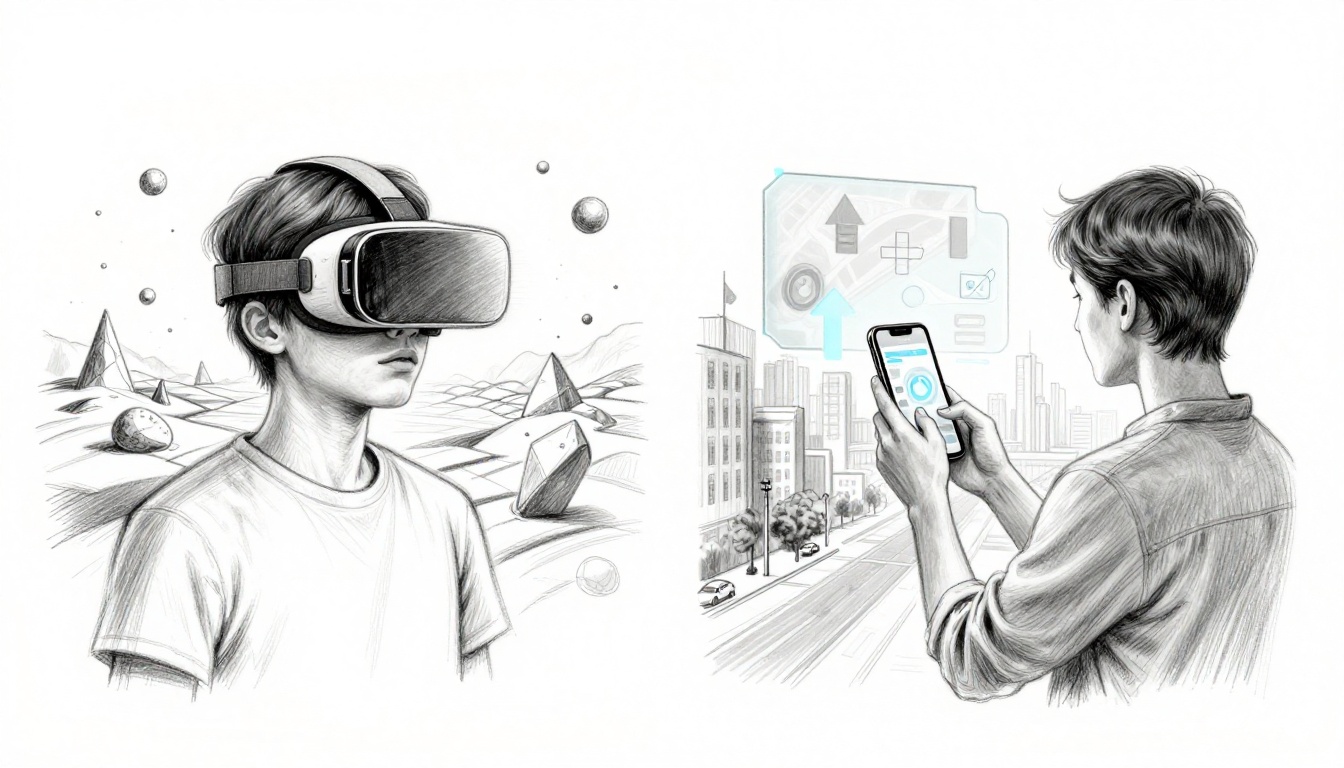
Imagine putting on goggles that whisk you to another planet. Now imagine your phone showing directions that sit right on top of the street in front of you.
In simple terms, VR (virtual reality) creates a computer-made world that blocks your real surroundings. AR (augmented reality) adds digital stuff to the real world you’re already in.
By the end, you’ll know how they work, see real examples, and spot what gear people use most in 2026. Ready to dive in?
Step Into VR: Your Ticket to a Totally Made-Up World
VR is all about replacement. When you put on a VR headset, it shows a computer-generated environment. Your eyes and head movements help it feel like you’re truly “there.” Sound usually changes too, so the scene feels bigger and more real.
So how does it work? Most VR headsets track your head with sensors. Many also use hand controllers (or hand tracking) so you can aim, grab, and interact. In other words, VR tries to match what you do with what you see.
A helpful way to think about it is like a movie where you’re the star, but you control everything. Instead of watching from the outside, you look around and act inside the scene.
If you want a plain-language breakdown, Coursera explains the basic difference clearly in its guide on Augmented Reality vs. Virtual Reality.
One quick heads-up: VR can cause motion sickness for some people. That often happens when your eyes see motion your body doesn’t feel. Luckily, many apps include comfort settings like teleport movement. Also, it helps to start with short sessions.
In 2026, VR still shines for gaming, training, and meetings. For example:
- You can feel like you’re inside action games.
- Teams can meet in shared virtual spaces.
- Pilots and surgeons can practice in simulated scenarios.
- Architects can walk through a building before it exists.
As for gear, many people choose Meta’s standalone headsets because they don’t need a gaming PC. Still, high-end PC-tethered setups exist for sharper visuals.
Everyday Ways VR Brings Worlds to Life
VR doesn’t have to mean “super sci-fi.” It can feel practical, even when it’s imaginary. Here are common ways people use it, and why they like it.
First, immersive games put you in the middle of the action. Instead of using a controller on a couch, you look, aim, and dodge in a virtual space. That sense of presence is the big reason VR hooks people fast.
Next, training keeps getting better. For medical students, VR can help practice procedures without risking real patients. For industrial jobs, teams can rehearse steps in a safe setting.
Then there’s architecture and design walkthroughs. Imagine checking lighting, scale, and layout before construction starts. You can often spot issues sooner, because the space feels real when you walk through it.
Finally, therapy and exposure training can help some people face fears in controlled settings. A therapist can guide a session step by step, rather than relying only on talk therapy.
Even hardware trends point this direction in 2026. Haptics (like gloves or small controllers) may add extra sensations. That matters because VR feels stronger when your hands “feel” something, even in a limited way.
Top VR Gear Worth Checking Out in 2026
If you’re shopping, focus on your goal first. Do you want the simplest “pick it up and play” option? Or do you want max graphics from a PC?
Standalone headsets (no PC required) are popular because they’re easy to start. Meta Quest models lead that category. PC-tethered headsets can look sharper, but they require a strong computer and extra setup.
Here are some top picks people consider in the US right now:
- Meta Quest 3S (budget, easy entry)
- Meta Quest 3 (balanced for many uses)
- PlayStation VR2 (best if you already have a PS5)
- Apple Vision Pro (premium, very expensive)
- Pimax Crystal series (for PC power users who want high clarity)
For more direct testing and comparisons, PCMag rounds up options in The Best VR Headsets We’ve Tested for 2026.
Beginners usually do best with a standalone headset, because it removes friction. You can learn controls, try games, and see whether VR motion feels okay for you.
Unlock AR: Layer Digital Magic Over Your Real Life
AR is different at the core. Instead of replacing your surroundings, it adds digital elements to what you already see.
Most AR works by using your device camera (often a phone). Sensors help the system understand where you are and how to place content. Then it overlays graphics on your view, so the digital elements appear to “sit” in the world.
Think of AR like sticky notes on reality. Only you can see the notes through your screen or smart glasses.
This means AR usually keeps you aware of your environment. You can still look around, walk carefully, and interact with real objects. That’s why AR often fits daily tasks better than VR does.
If you want another simple explanation, ZealousXR offers a clear compare in AR vs VR: What’s the Difference? Simplified for 2024.
In 2026, common AR examples include:
- Navigation arrows that appear on streets
- Furniture try-before-you-buy visuals
- 3D models that float over books or product boxes
AR devices also vary by how “wearable” they are. Most people start with apps on smartphones or tablets. For hands-free use, AR glasses can display overlays in your view.
Based on recent availability in the US, popular AR glasses include Meta Ray-Ban Smart Glasses, RayNeo models, Xreal 1S, and VITURE Pro. There’s also Apple Vision Pro for more spatial work, and Magic Leap 2 for pro settings.
AR often depends on good lighting and a steady view. If the camera struggles, the overlays can feel less stable.
AR Tricks That Make Daily Life Easier
AR can save time because it shows help right where you need it. You don’t have to read a map first, then imagine where to go next.
Here are practical AR uses that work well in everyday life:
- Navigation overlays: directions appear on your path, not just on a screen.
- Shopping visualizers: apps show how furniture might look in your room.
- Learning aids: anatomy or science overlays can make concepts easier to picture.
- Repair and instructions: in work settings, AR guidance can point out parts and steps.
Even if you don’t buy AR glasses, your phone can handle a lot. Many AR experiences use familiar apps and camera features. That makes AR easier to test before you spend money on hardware.
Standout AR Devices for 2026 Users
For AR glasses, the “best” choice depends on what you want to see. Some options focus on media viewing. Others focus on daily wear with voice and translation features.
Here are a few common choices people look at in 2026:
- Meta Ray-Ban Smart Glasses: designed for daily use, with features like camera input, open-ear audio, and AI support.
- Xreal 1S: popular for a large personal display experience and media in a light form.
- RayNeo Air 3s Pro: aims more toward clear visuals and viewing comfort.
- VITURE Pro: often chosen by people who want a personal display setup with gaming handhelds.
- Apple Vision Pro: a premium pick for spatial work and mixed reality tasks.
- Magic Leap 2: more aimed at industry workflows.
Battery life and comfort matter here. Lighter weight can help if you wear glasses for long stretches. Also, the best device is the one that you’ll actually use during normal days.
VR vs AR Face-Off: Spot the Differences Fast
A quick way to remember it: VR is a new room, while AR is sunglasses with information.
Here’s a fast compare that keeps it simple:
| Feature | VR (Virtual Reality) | AR (Augmented Reality) |
|---|---|---|
| Main effect | Replaces your view | Adds to your real view |
| Awareness of surroundings | Low (you’re isolated) | High (you stay in reality) |
| Typical hardware | Headset with tracking | Phone, tablet, or smart glasses |
| Setup feel | More immersive, more gear | Easier, often “pull out phone” |
| Cost for most people | Can be higher | Often cheaper to start |
| Best for | Training, full immersion | Help during real tasks |
Another plain explanation appears in Guru99’s breakdown of key differences and proportions in Augmented Reality (AR) vs Virtual Reality (VR).
Motion sickness risk is real in VR. AR usually doesn’t trigger the same feeling, because you stay grounded in your space.
When to Pick VR Over AR (And Vice Versa)
Pick VR when you want escape, practice, or total focus. That includes:
- gaming
- immersive simulations
- training where you can’t take real-world risks
Pick AR when you want quick help in the real moment. That includes:
- finding your way
- seeing objects in your space
- getting step-by-step guidance while you work
Also consider your setup. VR needs room and a headset fit. AR works anywhere you can point a camera, including your kitchen table.
Where VR and AR Shine Today (Plus 2026 Trends)
Right now, VR keeps strong footing in gaming and professional training. It also shows up in education and remote collaboration, where people want to feel “together” without traveling.
AR leans into daily tasks and real-world utility. People use it for navigation help, shopping visuals, and learning apps that overlay 3D content on physical items.
What’s driving change in 2026? Two big trends:
- Hardware got lighter and smarter for AR, so everyday use feels more realistic.
- Training and enterprise use kept growing for VR, because simulations can reduce costs and risk.
Meanwhile, mixed reality has become a common bridge term. Some products aim to blend both ideas, so you can see digital objects while still feeling connected to your room.
Recent March 2026 updates also point the direction. Reports noted Samsung’s AI smart glasses launch for 2026, and Meta scaled back big VR-first metaverse plans, shifting attention toward AR work. AR tools also look strong for travel and business overlays.
Hot 2026 Updates Making Them Even Better
A few improvements are showing up across both sides.
For VR, haptics and better tracking help make virtual hands feel more believable. Some updates focus on smoother motion and comfort options too.
For AR, AI support is becoming a bigger part of daily use. It can help with visual search, real-time translation, and context-aware answers. That’s especially useful when you don’t want to stop and type.
Also, better screens and faster networks (including 5G where available) help reduce delays. Fewer lags make overlays and scenes feel more stable.
If you want one more simple compare angle from outside sources, Next Reality News has an easy read in AR vs. VR: A Simple Guide to Augmented and Virtual Reality.
Conclusion
The difference between VR and AR is simple: VR replaces your reality, while AR enhances it. If you want total immersion, VR fits best. If you want helpful information over your world, AR wins.
If you’re curious, start small. Try a few AR apps first, then test a VR demo for comfort and motion feel.
Which will you try first, AR overlays on your phone, or a VR headset that takes you somewhere new?