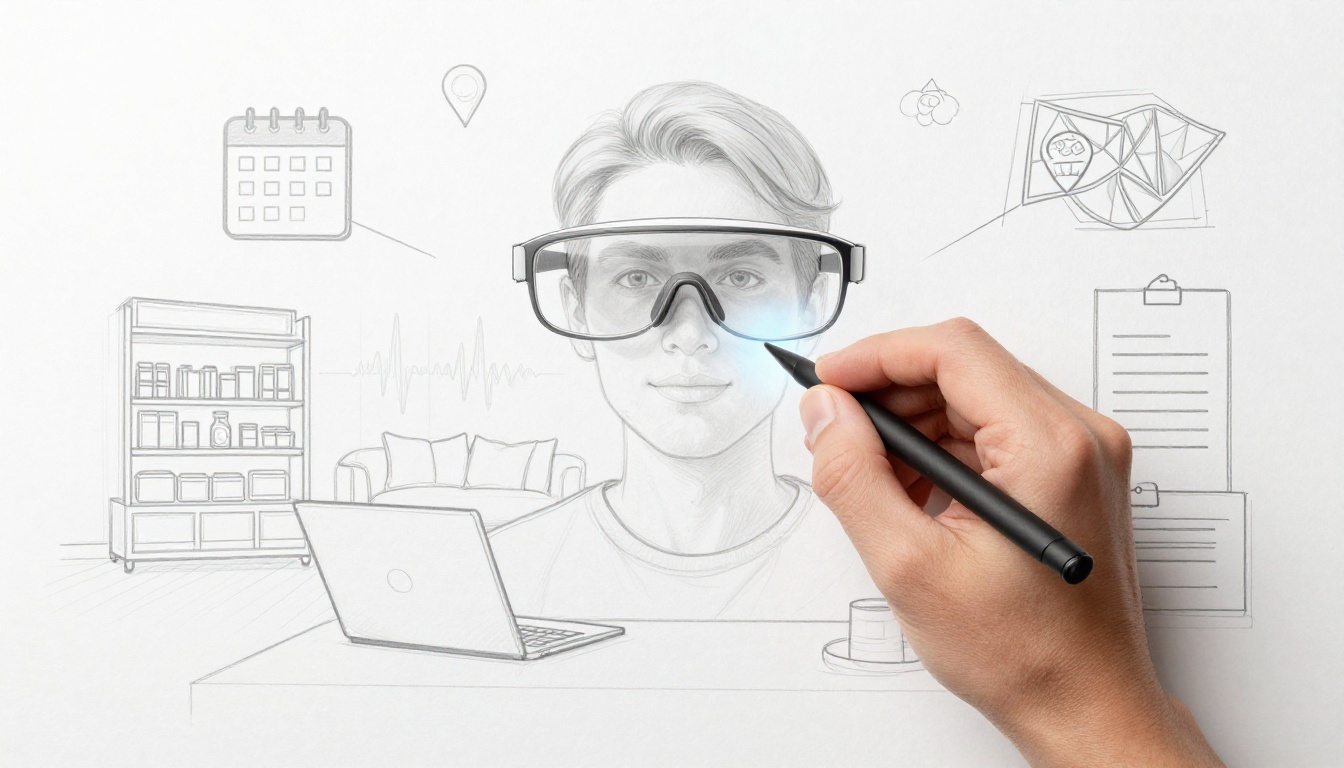
Waking up to AR overlays in your view, showing your schedule and weather, can feel like magic, but it’s already the direction 2026 is pushing. With lightweight augmented reality glasses and wearables from companies like Snap and Meta, you’ll see helpful info layered onto the real world, often with AI that understands what you’re looking at.
In everyday life, the friction adds up. You stop to check directions, hunt for the right item in a store, and pause work to search for quick answers. Then there’s the small stress, like getting a recipe wrong or reading labels while you’re rushing. AR changes in 2026 aim to cut that waiting by putting guidance right where your eyes already are.
Snap’s 2026 AR glasses push this further with see-through visuals, voice and AI help, and a big developer base through AR Lenses that bring familiar Snapchat effects into real space. Meanwhile, other glasses from Google and Samsung-style Android XR offer hands-free mini maps, translation subtitles, and step-by-step guides for tasks like tying knots.
By late 2026, AR should make daily routines easier, safer, and more fun by blending digital help into the moments you already live every day, so the next sections show exactly where it shows up first.
Upgrade Your Shopping and Navigation with AR Magic
AR is changing two everyday pain points fast: shopping fit and getting where you need to go. In 2026, augmented reality shows you what would normally take guessing. As a result, you spend less time fixing mistakes, and more time enjoying what you bought or where you’re headed.
Virtual Try-Ons That Make Buying Clothes a Breeze
AR shopping try-on starts the moment you pick an outfit. Instead of flipping between sizes and hoping, you see an outfit on your body in real time. That means you can check the length, how sleeves sit, and whether the style drapes the way you expect. It feels less like “shopping online” and more like trying on in a fitting room you carry with you.
In-store smart mirrors make this feel extra real. You stand where you normally would, then an AR layer places the clothes onto your reflection. You can rotate, lean forward, and spot how the fabric moves. Then, when you choose a size, you do it with confidence because you can actually see the fit, not just read a size chart.
Apps bring the same idea to your home. Many retailers let you use your camera to preview outfits on your body shape. Some even offer 3D views, so you can get a better sense of how an item looks from different angles.
The payoff shows up in the numbers too. AR virtual try-on tech cuts online shopping return rates by about 20% to 40% on average, because shoppers pick better sizes and avoid guesswork. For shoppers, that means fewer “maybe” purchases. For stores, it means fewer refunds and restocking headaches.
Here’s how it helps in plain terms:
- Fewer returns because you see fit before you buy.
- Less stress because you stop ordering multiple sizes “just in case.”
- More confidence because the result looks like you, not a model.
If you want an example of how virtual try-on is built at scale, see Amazon Nova virtual try-on on AWS. The idea is simple, make the preview more accurate, so shoppers decide faster.

Hands-Free Directions That Guide You Step by Step
Augmented reality navigation works best when your hands stay busy. That’s where AR overlays shine. Instead of checking your phone every few seconds, you see guidance anchored to the real world. Glowing arrows can appear on the sidewalk ahead, and turn prompts can float near the street you’re approaching.
In 2026, wearables like AR glasses make this feel natural. Take Snap Specs, for example. Reported updates and features center on keeping AR content stable while you move, so directions don’t wobble. You can also get travel-focused overlays that help you stay oriented without breaking your pace. For context on Snap’s AR glasses direction, see Snap and Specs AR glasses updates.
Scene understanding helps too. The glasses can “read” what’s around you, then adjust the guidance. So instead of “Turn left in 200 feet,” you get “Go this way” aligned to what you actually see.
This also improves indoor navigation. Malls, campuses, and airports often feel like mazes. With AR, you can follow a live path on the floor level, plus clear landmarks like entrances or elevator banks. In other cases, overlays can warn you about hazards, such as a step down, a blocked lane, or an exit route you might miss.
Here’s what hands-free navigation changes for you day to day:
- Fewer wrong turns because the guide matches your real street.
- Faster walking because you spend less time checking screens.
- More safety because you keep your eyes forward.
Supercharge Work, Learning, and Health with Smart Overlays
Smart overlays turn AR into a real-world tutor. Instead of watching videos or hunting through manuals, you see guidance where you need it, right on top of the thing in front of you. In 2026, that matters because it cuts errors and helps people finish tasks with less stress.
Hands-On Lessons That Bring Subjects to Life
In AR in education, learning clicks when students can touch something real and still get extra context. Picture a classroom where a student holds a microscope slide, a small machine part, or a fossil rock sample. Then AR adds pop-up “what you’re looking at” layers, so the topic stops feeling abstract.
These overlays work like a helpful lab partner that never runs out of patience. You point your device, and suddenly the real object gains extra detail. A student might see:
- Pop-up labels over real parts, like layers in a leaf or sections in a tool
- 3D callouts that show what a component does when the camera angle changes
- Step-by-step prompts that guide safe handling and setup, not just facts
Better yet, students learn without needing a stack of books. The object becomes the anchor, and the lesson follows it. That reduces the “page flipping” problem, especially during labs and practical classes.
For schools thinking about how to roll AR into the daily routine, implementation details matter, like device management and lesson planning. If you want a practical take on AR adoption in K to 12, see how K–12 schools can implement AR and VR.
Here’s a concrete example. In a biology unit, students can handle a specimen, then AR highlights structures as if they’re under a spotlight. They can rotate, compare, and revisit the same object anytime. When the lesson matches the real thing, curiosity sticks.

Repair Guides and Safety Alerts Right in Your View
In augmented reality work, AR overlays act like an on-the-job mentor with strong eyes. You look at a machine, and the overlay points out what matters, what to check first, and what could go wrong. Instead of pausing to find the right page, you follow instructions in your line of sight.
In factories, this shows up as “goggles” or handheld views that layer machine info over the equipment. The result is faster issue spotting. If a motor sounds off or a gauge reading looks strange, AR can highlight likely causes and show the next inspection step.
AR also helps with safety. Overlays can flag hazards you might otherwise miss, like an exposed pinch point or the correct lockout path before maintenance. Early alerts reduce downtime because you catch problems before they turn into major repairs.
In healthcare routines, the same idea supports AR health apps. Safety overlays can remind you about proper posture during rehab, highlight correct placement for home exercises, or coach you through a simple self-check. When guidance stays visible, people do fewer “guess-and-fix” attempts.
Think of it like windshield wipers on a rainy drive. You still steer yourself, but the system makes the risky parts clearer.
Common overlay formats that work well in real settings include:
- Repair steps that appear one at a time, matched to what your camera sees
- Issue spotting markers that circle suspect parts without drowning you in info
- Routine safety prompts that nudge you back into the safe sequence
Make Home Life and Social Chats More Enjoyable and Connected
AR home life works best when it feels like a helpful roommate, not a second job. With lightweight augmented reality glasses, you keep your hands on what matters and your attention on real life, while helpful info floats where you already look.
Cook, Read News, and Stay Organized Without Picking Up Your Phone
Picture this: you’re chopping veggies, and your recipe steps appear as calm, floating cues. You can keep stirring or plating, because AR keeps guidance in your view instead of pulling you toward your phone. That hands-free setup matters most when you’re dealing with heat, timers, or one wrong moment that ruins dinner.
At home, multitasking gets easier in small, practical ways. For example:
- While cooking, you can glance at ingredient notes, step order, and quick substitutions without breaking your flow.
- While walking to the fridge, you can switch from a recipe to a checklist with a head move, then back again.
- While you cook, you can listen for prompts (like “reduce heat now”) while your eyes stay on the pan.
Meanwhile, AR can help you read news without losing the vibe of your evening. Instead of sitting down with your phone, you get a news window that stays put as you move around the kitchen. So you can fold laundry, finish prep, or plate food, and still catch headlines.
You also get schedule reminders in a way that feels less interruptive. Many AR setups show a compact “at a glance” view, so you see time, weather, and reminders without the lock-screen stare. As a result, you spend less time switching apps and more time doing the next thing.
Privacy still matters here. In 2026, a big part of trust is control, so look for features like local processing, clear camera indicators, and permission settings that let you decide what the device can “see” during daily tasks.

If you want a real-world feel for how this plays out during cooking, see CNET’s testing of smart glasses with hands-free recipes in the home: smart glasses cooking hands-free take.
Share Digital Fun with Friends in the Real World
Social chats get more fun when your friends can share the same moment, not just the same chat thread. Shared augmented reality experiences let you see interactive elements in the real space around you, then respond together. It’s like turning a walk or hangout into a tiny stage, where everyone has a role.
In practice, shared sessions work best when they feel simple and fast. One person triggers the play, and the others see it right away. Then you add your own touches, like:
- A shared virtual object that both of you can point at, move around, or react to.
- Small AR effects that appear as you both look in the same direction.
- Co-op mini fun that turns “meet me here” into “meet me and do something.”
The point isn’t to replace conversation. Instead, AR adds a second thread of joy, so you laugh while you play. In other words, you still talk, you just have something fun to react to together.
You’ll also see this style of social play in location-based AR titles. If you want an example of AR social fun built for real spaces, check the App Store listing for: QRhunt AR MMORPG and SNS. It’s a good snapshot of how social AR can feel when your location becomes part of the story.
Finally, keep it comfortable for everyone involved. If you’re planning an AR hangout, pick a well-lit spot, agree on quiet boundaries (no filming strangers), and ask what people want to share. When privacy is respected and the fun stays low-pressure, augmented reality social interactions feel natural, even on ordinary nights.
The Road Ahead: AR Wearables Set to Become Daily Essentials
AR wearables in 2026 feel closer to normal life than sci-fi life. Instead of bulky headsets, I’m seeing a push toward comfy designs, smarter AI help, and devices that people actually want to wear. The big shift is simple: AR stops demanding your attention, and starts meeting you where you already look.
That matters because daily use has rules. You need light weight, clear visuals, and battery life that keeps up. You also need trust, since AR devices can collect sensitive data. If those pieces line up, the “cool demo” becomes everyday routine.
Comfy by Design: Smart Glasses, Smart Rings, and Less “Tech Look”
Comfort is the first gate AR has to pass. In 2026, brands are working on frames that look like regular eyewear, not lab gear. Lighter smart glasses and even smart rings help with that, because you forget they’re there.
Smart rings, in particular, fit daily life well. You can wear them during work, workouts, and sleep, without adding bulk. Meanwhile, smart glasses aim to stay light enough for long stretches, so they don’t feel like a chore.
Here’s what “daily essential” usually demands:
- A normal fit (like sunglasses, not a helmet)
- Low friction (fast wake-up, quick setup)
- Clear visuals that don’t distract you from the real world
- Good battery behavior so you can trust them all day
You’ll also notice AI doing more of the work. Instead of tapping menus, you get help based on context. That’s a big deal, because fewer manual steps means less interruption.
AI That Acts Like a Quiet Assistant, Not a Pop-Up Screen
AR’s next step is AI that handles the boring parts. In 2026 predictions, AI becomes the “brains” behind what you see. It can translate in view, summarize what matters, and push helpful prompts at the right time.
Instead of you hunting for info, the wearable nudges you. It might highlight a door in a busy place or remind you about a step in a repair. It can also reduce the mental load during tasks that usually feel messy, like cooking or assembling something with multiple parts.
What I find convincing is the direction toward personal context. Wearables can connect with each other, then tailor what you see. That could mean the guidance you get at work looks different than the guidance you get at home.
Still, there’s a trade-off. More context means more data. So the real question becomes: can you get help without losing control?
Comfort and usefulness are driving adoption, but trust will decide who stays.
Enterprise Adoption Paves the Way for Cheaper Consumer Gear
Business use is often where new tech becomes real. Companies test AR in controlled settings first, then they learn what fails. That’s why enterprise pilots matter for consumers, even if you never step into a factory.
In 2026, enterprise adoption is growing in places like logistics, tourism, and training. Staff use AR to reduce mistakes and speed up tasks. Once those workflows prove out, the same components can drop in cost.
That’s the pattern that usually follows:
- Work sites adopt AR because it cuts downtime.
- Developers build repeatable tools for common problems.
- Hardware gets refined based on real wear and real complaints.
- Costs fall, which makes consumer versions more plausible.
If you want a broader look at where AR is heading by year, Glass Almanac tracks AR trends and device bets that shape timelines. For example, see AR trends arriving in 2026 for a quick scan of what’s changing.
Privacy and Data Control: The Biggest Hurdle for AR Everyday Predictions
Here’s the hard truth. AR wearables can “see” the world around you, and that can include sensitive details. They may process location data, camera frames, and health signals. When AI gets involved, the stakes rise, because AI can turn raw data into more personal insight.
So privacy is not a side issue. It’s the core risk that can slow adoption.
What good privacy looks like in plain terms:
- Clear camera indicators so you know when you’re being recorded
- Permission controls that let you choose what the device can access
- Data minimization, so you only store what you need
- Local processing options, when they make sense for safety
Regulators and customers are also pushing for stronger norms. If brands can’t explain how data moves, people will hesitate. And for AR, hesitation is costly, because comfort alone doesn’t build trust.
If you’re tracking the bigger policy and timeline signals around AR, Glass Almanac also covers AR device and policy shifts in 2026 for a wider view.

Adoption Needs: What Must Be True for AR to Feel “Normal”
Even with good hardware, AR has to earn daily habits. That means reliability first. Guidance must stay stable while you move. Overlays must not jitter or block your view. Speech and touch must work when you’re in a hurry.
Then comes integration. AR becomes useful when it connects to things you already do. For example, it should support real shopping context and real directions. It also needs developer tools that help people build for common use cases, not just one-off demos.
Finally, wearables need better battery behavior. If the device dies mid-day, it turns into a backup toy instead of an essential tool. Companies are already trying to solve this through better power management and smarter on-device processing.
The Bottom Line for 2026: Daily Help, Not Daily Friction
The road ahead for the future of augmented reality 2026 is clear. AR wearables are moving toward comfy form factors, AI help that stays out of your way, and real-world deployments that prove value. At the same time, privacy and battery life still decide whether people trust the tech in their daily routines.
If companies handle those problems well, AR becomes less of a gadget and more of a quiet helper. It won’t replace your life. Instead, it will add guidance right when you need it most, shopping, work, and health all at once.
Conclusion
Augmented reality is set to make everyday tasks easier, safer, and more fun, with guidance that stays where you already look. Shopping gets faster because you can preview fit and items before you commit. At work and in learning, smart overlays help people follow steps and avoid mistakes. For home life, AR turns small moments into shared, hands-free experiences (see shopping, work and learning, and home and social).
The strongest shift is this: less friction. Instead of stopping, searching, and re-checking, you get the right cue right in front of you. That’s why the phone can fade from daily use, replaced by calm, real-world help. And as wearables like Snap Specs keep improving, the tech moves from “try it once” to “use it every day.”
Ready to see AR change your day? Try one AR app this week, then watch for new Specs and updates that make hands-free guidance feel even more natural.